
TL;DR
HappyHorse AI may offer ways to try HappyHorse-1.0 without immediate payment. Exact rules live on pricing and can change. This guide explains how to think about credits, what you can create on limited runs, and how to avoid wasting attempts.
You learn five habits that stretch free usage. You compare free versus paid with an honest table. You explore alternatives without hype. You start at the home page when you are ready to experiment.

Free exploration on HappyHorse AI helps you learn controls before you scale paid output.
Who this guide helps
You might be a student, a founder, or a curious marketer. You want to learn without breaking budget. You accept that limits exist. You want practical steps.
Related reading
Use How to Use HappyHorse AI for workflows. Use prompt examples for language patterns. Use best AI video generators in 2026 for market context.
Table: free learning outcomes
| Outcome | Evidence |
|---|---|
| Prompt skill | A small library of working prompts |
| Tier literacy | Notes on when quality steps up |
| Process | Named files and version logs |
List: what free tiers cannot promise
- Infinite retries every hour.
- Guaranteed priority at peak times.
- Feature parity with every enterprise tool.
Depth: align your definition of success
Success might mean “I understand the UI.” It might mean “I produced one acceptable clip.” Write your definition before you start. You reduce frustration.
Table: define success before you spend credits
| Goal type | Example success statement | What you measure |
|---|---|---|
| Learning | “I can run T2V and I2V without confusion.” | Time to first export |
| Portfolio | “I have one clip I would show a client.” | Rubric score of four or higher |
| Teaching | “I can explain what changed between two prompts.” | Student quiz or discussion notes |
List: signals you are using free tiers responsibly
- You read pricing before you assume unlimited access.
- You treat HappyHorse-1.0 like a studio tool with real costs behind the scenes.
- You store prompts so you can explain decisions to a teammate or client.
- You pause when fatigue appears. Tired clicks waste learning time.
Depth: connect free practice to paid performance
Free practice is not “fake work.” It is rehearsal with a safety net. You build vocabulary for camera, lighting, and pacing. You learn how often you must retry.
When you later upgrade, you already know your failure modes. You already know which tier fits your QA bar. That knowledge saves money.
Table: weekly learning budget (example layout)
| Block | Minutes | Outcome |
|---|---|---|
| Read one guide section | 10 | Clear next action |
| Two focused generations | 25 | Logged prompts |
| Review and rename files | 10 | Clean archive |
List: what this guide does not promise
- We do not promise a fixed credit count. Numbers live on pricing.
- We do not promise parity with every enterprise suite. Features can change.
- We do not promise viral results. Distribution still depends on your audience.
We do promise structured habits. Habits beat hope when credits are tight.
Is It Really Free?
“Free” rarely means unlimited compute. Most AI video products fund trials through credits, promotions, or time windows. HappyHorse AI follows industry norms. You should read current terms on happyhorse-turbo.org.
What “free” usually means here
You may receive a starter balance. You may access draft quality first. You may face daily or monthly caps. You may need an account for abuse prevention.
Table: questions to ask on the pricing page
| Question | Why it matters |
|---|---|
| Do credits expire? | Plans your month |
| Do tiers differ? | Sets quality expectations |
| Can you upgrade later? | Reduces dead ends |
List: healthy expectations
- Free tiers teach controls.
- Free tiers may queue at busy times.
- Free tiers may not cover every feature.
Honesty about limits
You might not finish a large campaign on free alone. You might need paid plans for volume. That is normal. You still gain skill during trials.
Table: myths versus facts
| Myth | Fact |
|---|---|
| “Free means no rules” | Terms still apply |
| “Free equals low skill” | Skill comes from practice |
| “Free outputs are useless” | They can teach and test ideas |
Depth: abuse prevention helps everyone
Platforms limit fraud and bots. You may see captchas or rate limits. Those guardrails keep services stable for real creators.
Table: vocabulary for reading product pages
| Phrase | Plain meaning |
|---|---|
| Starter credits | A small balance to learn the product |
| Refresh | When your balance resets on a schedule |
| Tier | A preset that trades speed, fidelity, or length |
| Queue | A wait when many users generate at once |
Depth: why limits exist in 2026
Video models cost compute. Compute costs money and energy. Free access is a bridge, not a bottomless well. Ethical platforms balance access with sustainability.
You help the ecosystem when you avoid spam. You help teammates when you document what works. You help yourself when you treat each run like a small experiment with a hypothesis.
List: questions to ask your future paid self
- How many clips per week do I ship externally?
- What artifact types do I refuse to publish?
- Which tier matches my brand QA bar?
- Who approves outputs before they go live?
Table: honest trade-offs on free access
| You gain | You may not get |
|---|---|
| Skill without immediate spend | Highest tier every time |
| A safe place to learn controls | Unlimited priority at peak hours |
| Proof that you will use the tool | A full campaign without upgrades |
Read What Is HappyHorse AI? when you need the full product map. Return here when you want frugal habits.

Even on limited runs, you can explore cinematic looks with clear prompts and patient iteration.
How to Get Free Credits (Steps)
Policies change. These steps describe a sensible path. Verify details on the live site.
Step 1: Create an account
Use a real email you monitor. Confirm verification links quickly. Locked accounts waste time.
Step 2: Read the credit rules
Open pricing. Note starter balances, if any. Note refresh rules. Note feature gates.
Step 3: Plan a tiny first project
Pick one clip goal. Example: “A ten-second vertical teaser mock.” Scope keeps you inside limits.
Step 4: Run draft-first attempts
Use lower tiers when exploring. Save higher tiers for outputs you might ship.
Step 5: Log results
Write prompts and scores. Logs prevent repeated mistakes. Logs speed up learning.
Table: first-week schedule
| Day | Task |
|---|---|
| 1 | Account setup and rules |
| 2 | Text-to-video drills |
| 3 | Image-to-video drills |
| 4 | Library cleanup |
Depth: avoid account risks
Do not share passwords. Do not automate abuse. Platforms ban bad behavior. You lose access and time.
Table: signup hygiene
| Tip | Reason |
|---|---|
| Unique password | Reduces breach risk |
| Recovery email | Prevents lockouts |
| Workspace rules | Aligns with IT policy |
List: first session goals
- Confirm you can sign in twice.
- Confirm you can locate credit balance.
- Confirm you can export one clip.
Table: account recovery checklist
| Situation | Action |
|---|---|
| You lose access | Use official recovery flows only |
| You switch devices | Confirm two-factor rules with your IT team |
| You share a household computer | Sign out after each session |
Depth: pair signup with a learning plan
Open How to Use HappyHorse AI in a second tab. Skim the method names before you generate. Names reduce confusion when the UI offers multiple paths.
You do not need to finish the tutorial in one sitting. You do need a map. Maps prevent aimless retries.
List: what to screenshot on day one
- Your credit balance location in the UI.
- The tier selector if your plan exposes it.
- Your first export filename pattern.
Screenshots help support teams help you. They also help future you remember baseline settings.
Credit Math Without Guesswork
You cannot manage what you do not measure. Free tiers reward a simple ledger. You track prompts, tiers, and outcomes.
Table: example ledger columns (use your own numbers)
| Date | Mode | Tier | Prompt ID | Score 1–5 | Notes |
|---|---|---|---|---|---|
| 2026-04-09 | T2V | Draft | P-014 | 3 | Add softer light |
| 2026-04-10 | I2V | Standard | P-015 | 4 | Stable product edge |
Depth: why score columns matter
Scores turn memory into data. You see which prompt families work for your brand. You see when you should stop tweaking and rewrite the brief.
You do not need fancy software. A spreadsheet is enough. Consistency is the point.
List: ratios to watch
- Attempts per acceptable clip.
- Minutes spent per acceptable clip.
- Nights when you retry late and quality drops.
Table: translate ratios into decisions
| Pattern | Decision |
|---|---|
| High attempts, low scores | Simplify scenes and shorten motion |
| Low attempts, high scores | Save prompt as a template |
| Late-night drift | Schedule daytime tests |
Depth: hypothetical cost awareness
Suppose a longer clip consumes more credits than a short one. You still confirm on pricing. The habit is the lesson. You choose duration with intent.
List: duration habits that protect credits
- Start with the shortest viable length for learning.
- Add length only after motion looks stable.
- Split complex stories across multiple short clips if your workflow allows.
What Can You Create?
You can explore short clips for social tests. You can prototype classes for students. You can storyboard scenes for pitches. You can learn HappyHorse-1.0 behavior without a studio.
Table: realistic free outputs
| Output | Notes |
|---|---|
| Concept reel | Great for internal reviews |
| Hook tests | Great for messaging experiments |
| Storyboard motion | Great for director alignment |
List: avoid scope creep
- One location per session.
- One wardrobe idea per session.
- One camera style per batch.
Depth: quality versus quantity
Free tiers reward focus. Ten thoughtful prompts beat fifty chaotic ones. You train taste faster with focus.
Table: project ideas that fit tight credits
| Idea | Why it fits |
|---|---|
| Single-shot product spin | Short duration |
| Teacher metaphor scene | Simple staging |
| Founder pitch B-roll | One location |
List: teaching scenarios
- Show a historical setting without travel.
- Illustrate a science concept with motion.
- Provide multilingual classes with captions later.
Depth: student assignments
If you teach, ask students to explain prompts in prose first. Then generate. Critical thinking pairs well with tool use.
Table: classroom-safe project scopes
| Level | Project | Guardrail |
|---|---|---|
| Beginner | One subject, one camera move | No real-person likeness prompts |
| Intermediate | Before-and-after lighting study | Discuss bias and accuracy |
| Advanced | Mini campaign with three hooks | Add disclosure discussion |
List: disclosure habits for synthetic media
- Label clips when your platform or regulator expects it.
- Keep prompts and outputs for audit trails on client work.
- Avoid deceptive depictions of real products or people.
Depth: pair creation with critique
After each clip, ask two questions. What worked? What would you change with one edit? This habit trains taste faster than passive watching.
You can compare your notes with HappyHorse prompt examples. Examples give language patterns you can adapt.
Table: creative genres that fit tight credits
| Genre | Why it fits free practice |
|---|---|
| Product macro | Short motion range |
| Nature B-roll | Forgiving textures |
| Abstract mood | Less strict identity rules |
List: genres that may cost more retries
- Crowded street scenes with many faces.
- Fast sports action with complex physics.
- Extreme close-ups of hands holding small objects.
You can still try them. You should plan extra patience and tighter camera language.
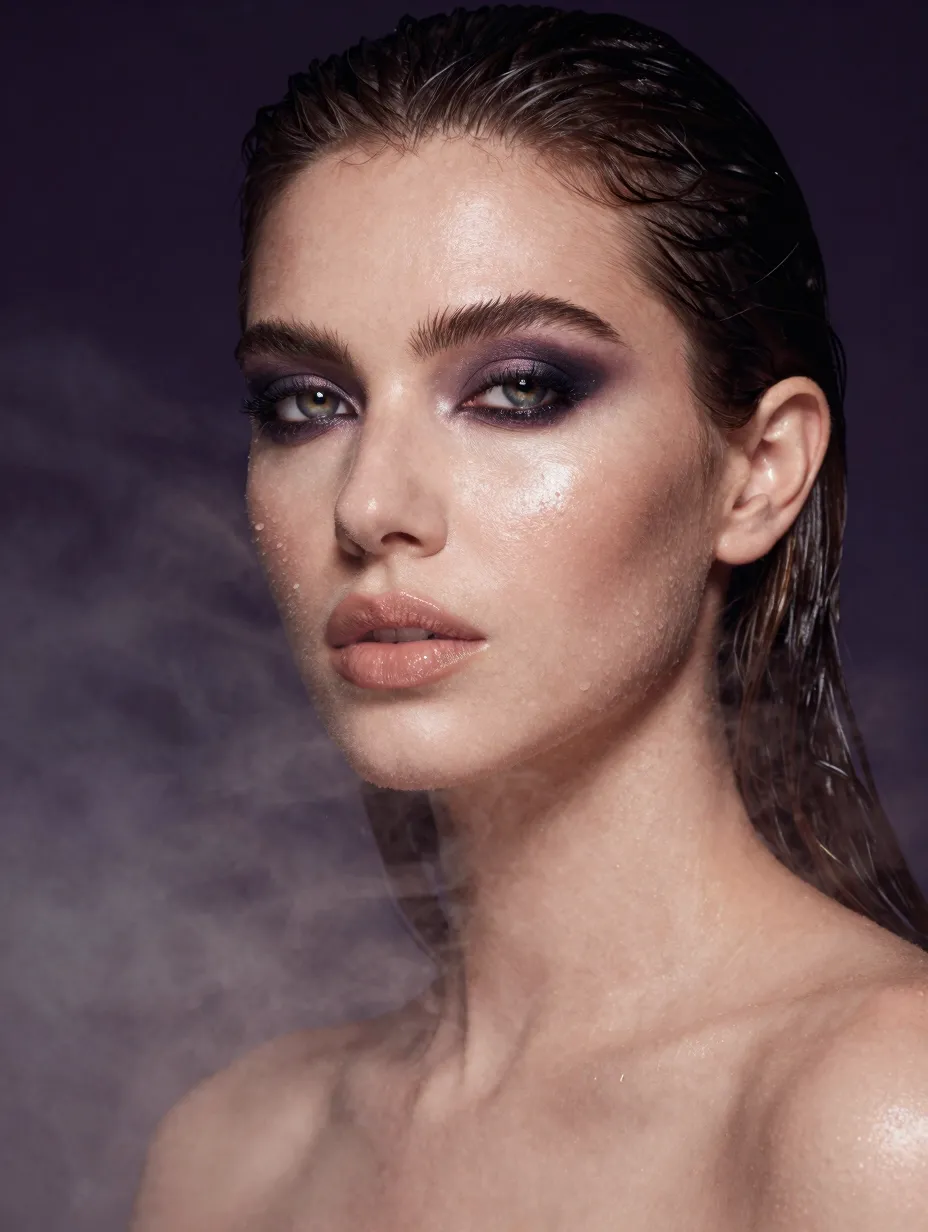
Lifestyle and beauty tests help you learn lighting words without a long production cycle.
Free vs Paid Comparison
Paid plans unlock volume, priority, and sometimes higher fidelity. Free tiers help you learn. Compare honestly.
Table: free versus paid snapshot
| Topic | Free mindset | Paid mindset |
|---|---|---|
| Goal | Learn and test | Ship and scale |
| Iteration | Tight and planned | Broader and faster |
| Risk | Low spend | Higher expectation |
Depth: when paid makes sense
Paid makes sense when free limits block revenue. Paid makes sense when teams share workloads. Paid makes sense when deadlines are fixed.
You can revisit pricing with your manager. Bring estimates from your logs.
Table: signals to upgrade
| Signal | Meaning |
|---|---|
| Missed launch dates | Limits block outcomes |
| Low external quality | Tier may be too low |
| Shared login friction | Needs seats |
Depth: team conversations
Bring data, not vibes. Show attempts per usable clip. Show hours spent. Leaders respond to structured stories.
Table: stakeholder one-pager (template)
| Topic | Your note |
|---|---|
| Goal | One sentence |
| Free-tier window | Dates you practiced |
| Best prompt ID | The one that scored highest |
| Upgrade trigger | The signal you will watch |
Depth: compare vendors without wasting free credits
Read best AI video generators in 2026 before you run parallel tests. Pick two tools maximum. Use the same prompt and reference image. Score artifacts with the same rubric.
Vendor hopping burns learning time. Data-driven comparison protects your calendar.
List: what to hold constant in a fair test
- Prompt text.
- Reference image file.
- Approximate duration and aspect ratio.
- Tier or quality preset closest across tools.
Table: scoring lens for comparisons
| Lens | Question |
|---|---|
| Identity | Does the subject stay recognizable? |
| Motion | Does movement feel intentional? |
| Artifacts | Do you see melting textures or face drift? |
| Fit | Does the look match your brand? |
Depth: when free tests justify a paid decision
You justify payment when limits block revenue. You justify payment when your team’s time costs more than the subscription. You justify payment when quality gaps create rework.
You do not justify payment because a headline hyped a model. You justify payment because your own prompts proved value.
Five Ways to Maximize Free Credits
1) Plan prompts before you click
Write the prompt in a doc. Edit it twice. Paste once. You reduce stray retries.
2) Change one variable per retry
Science beats chaos. You learn cause and effect. You waste fewer credits.
3) Use references wisely
Upload clean stills when image-to-video fits. References reduce identity drift.
4) Keep clips short
Shorter clips often cost less. Short clips also fail less often.
5) Batch learning, not batch spam
Schedule focused practice. Marathon sessions produce fatigue errors.
Table: micro-examples for each habit
| Habit | Example behavior |
|---|---|
| Plan prompts | Write “soft window light, slow push-in, calm mood” before you click |
| One variable | Change only “push-in” to “static tripod” on retry |
| References | Use a clean PNG product still without heavy filters |
| Short clips | Target the shortest learning duration first |
| Focused sessions | Two attempts, then ten minutes of notes |
Depth: rewrite prompts like a creative brief
Strong briefs name the audience. They name the platform. They name the forbidden elements. You can mirror that structure in your prompts for HappyHorse-1.0.
List: brief fields you can copy into prompts
- Audience mood.
- Environment constraints.
- Camera distance and movement.
- Lighting style and time of day.
Table: prompt review before you spend
| Check | Pass or fail |
|---|---|
| One primary motion idea | |
| No conflicting lighting phrases | |
| No tiny text requested in frame |
Depth: when to read the complete tutorial again
Return to How to Use HappyHorse AI after your first ten attempts. You will understand steps differently once you have real errors to fix.
List: signs you are ready for more advanced language
- You can predict which edit will change motion.
- You can explain why a clip failed without blaming the model alone.
- You can score outputs with a rubric your team agrees on.
Table: habit tracker
| Habit | Score 1–5 weekly |
|---|---|
| Pre-written prompts | |
| Single-variable edits | |
| Short clip bias |
List: anti-patterns
- Random prompts without goals.
- Huge uploads on slow Wi-Fi.
- Skipping naming conventions.
Depth: habit stacking
Pair prompt planning with coffee. Pair exports with folder cleanup. Habits chain when you anchor them to routines.
Table: weekly credit budget template
| Category | Planned runs |
|---|---|
| Learning | |
| Client tests | |
| Personal experiments |

Consistency practice on limited credits teaches you to stabilize prompts before you scale.
Pricing Explained
Pricing connects credits to compute. Longer clips and higher tiers consume more. Read pricing for numbers.
Table: pricing concepts
| Term | Plain meaning |
|---|---|
| Credit | Unit of compute spend |
| Tier | Quality or speed preset |
| Rollover | Whether unused credits carry forward |
Depth: talk to finance plainly
Show weekly clip targets. Show retry rates. Show expected upgrade month. Finance likes plans with numbers.
Depth: tax and invoices
Business buyers may need invoices. Check whether your plan supports them. Keep records for accounting rules in your region.
Table: plan comparison questions for teams
| Question | Why teams ask |
|---|---|
| How many seats do we need? | Prevents shared-password risk |
| Do we need priority at month end? | Matches launch calendars |
| What happens if we pause? | Supports budget flexibility |
Depth: align pricing with campaign calendars
Marketing calendars cluster around launches. Education calendars cluster around terms. If your heavy weeks are predictable, you can time upgrades for those windows.
You still keep free-tier practice in low-demand weeks. Practice prevents panic when stakes rise.
List: finance-friendly metrics
- Cost per usable clip, including your labor time.
- Hours saved versus a small live shoot.
- Rework hours avoided when storyboards align early.
Table: simple ROI sketch (you fill numbers)
| Line item | Example |
|---|---|
| Monthly tool spend | From pricing |
| Clips shipped externally | Your count |
| Hours saved | Your estimate |
Depth: procurement hygiene
Save quotes and plan descriptions when your company requires them. Tag expenses by campaign. Align with your tax advisor on software deductions in your region.
List: when annual plans make sense
- You run weekly content with stable volume.
- You can forecast retries from past logs.
- Your finance team prefers predictable line items.
Depth: when monthly plans make sense
- You are still learning and your volume swings.
- You run short experiments across channels.
- You want flexibility while you validate fit.
Free Alternatives (Honest)
Other tools exist. Some offer trials. Some focus on images instead of video. Some target different regions.
Table: how to evaluate alternatives
| Lens | Action |
|---|---|
| Terms | Read commercial rules |
| Quality | Test the same prompt |
| Fit | Match your audience |
List: alternatives to consider
- Open-source models with self-hosting (technical overhead).
- Other SaaS generators with trials (compare outputs).
- Traditional stock for specific archival needs.
No single tool wins every task. Your workflow should stay tool-agnostic. HappyHorse AI aims to be a strong option for iterative HappyHorse-1.0 workflows on happyhorse-turbo.org.
Depth: avoid tool hopping
Hopping wastes learning. Pick two tools maximum during a month. Compare honestly. Commit after data.
Table: stock versus AI for tight budgets
| Need | Stock may win | AI may win |
|---|---|---|
| Archival landmark | Often yes | Rarely needed |
| Custom product hero | Limited | Often yes |
| Authentic interview | Yes | Not a substitute |
List: hybrid pipelines that save money
- Generate AI B-roll. Cut in licensed music. Add voiceover in post.
- Shoot one real hero take. Generate variants for hooks.
- Use AI for internal previews. Reserve paid shoots for finals.
Depth: open-source and self-hosting
Some teams run open models on their own hardware. That path can reduce per-clip SaaS fees. It raises engineering and compliance work. It is not free in terms of time.
We mention this for honesty. Many solo creators prefer a web app on happyhorse-turbo.org because maintenance stays simpler.
Table: choose your path
| Path | Best when |
|---|---|
| Web SaaS | You want speed and support |
| Self-host | You have strong technical staff |
| Stock | You need exact real-world locations |
List: red flags when evaluating “free” tools elsewhere
- Unclear commercial terms.
- Hidden watermarks on exports.
- Unstable access or frequent downtime.
Depth: return to HappyHorse AI with a plan
When you come back to HappyHorse AI, bring a single objective. Maybe you want stable product motion. Maybe you want a classroom demo. Objectives prevent scatter.
Use What Is HappyHorse AI? if you need a refresher on tiers and positioning. Use this guide if you need frugal habits.

Share this guide with teammates who need a grounded view of free AI video options.
Frequently Asked Questions
Is HappyHorse AI free?
Offers may exist with limits. Read pricing for current rules.
What is HappyHorse-1.0?
It is the model behind generation on HappyHorse AI.
How do credits work?
Credits map to compute. Details appear on pricing.
Can I use free outputs commercially?
Read terms and consult counsel when needed.
How do I maximize free generations?
Follow the five habits in this guide.
Where do I learn workflows?
Read How to Use HappyHorse AI. Study HappyHorse prompt examples when you want sharper language and reusable patterns.
When should I upgrade?
Upgrade when limits block results you need.
How do I compare vendors?
Read best AI video generators in 2026.
Conclusion and CTA
You can explore HappyHorse AI with discipline and respect for limits. HappyHorse-1.0 rewards clear prompts and steady iteration. Start on happyhorse-turbo.org. Compare plans on pricing. Share this guide with peers who need a fair overview.
Free work is real work. It builds skill. Paid work scales skill. Both deserve care, ethics, and honest measurement.