
TL;DR
You can create AI videos on happyhorse-turbo.org with HappyHorse-1.0. You start from text, a still image, or a video-to-video style path when available. You iterate prompts, review motion, and export clips for social, ads, or storyboards.
This guide walks you through prerequisites and three methods. You will see free-tier habits and troubleshooting. You can cross-read What Is HappyHorse AI? for background.

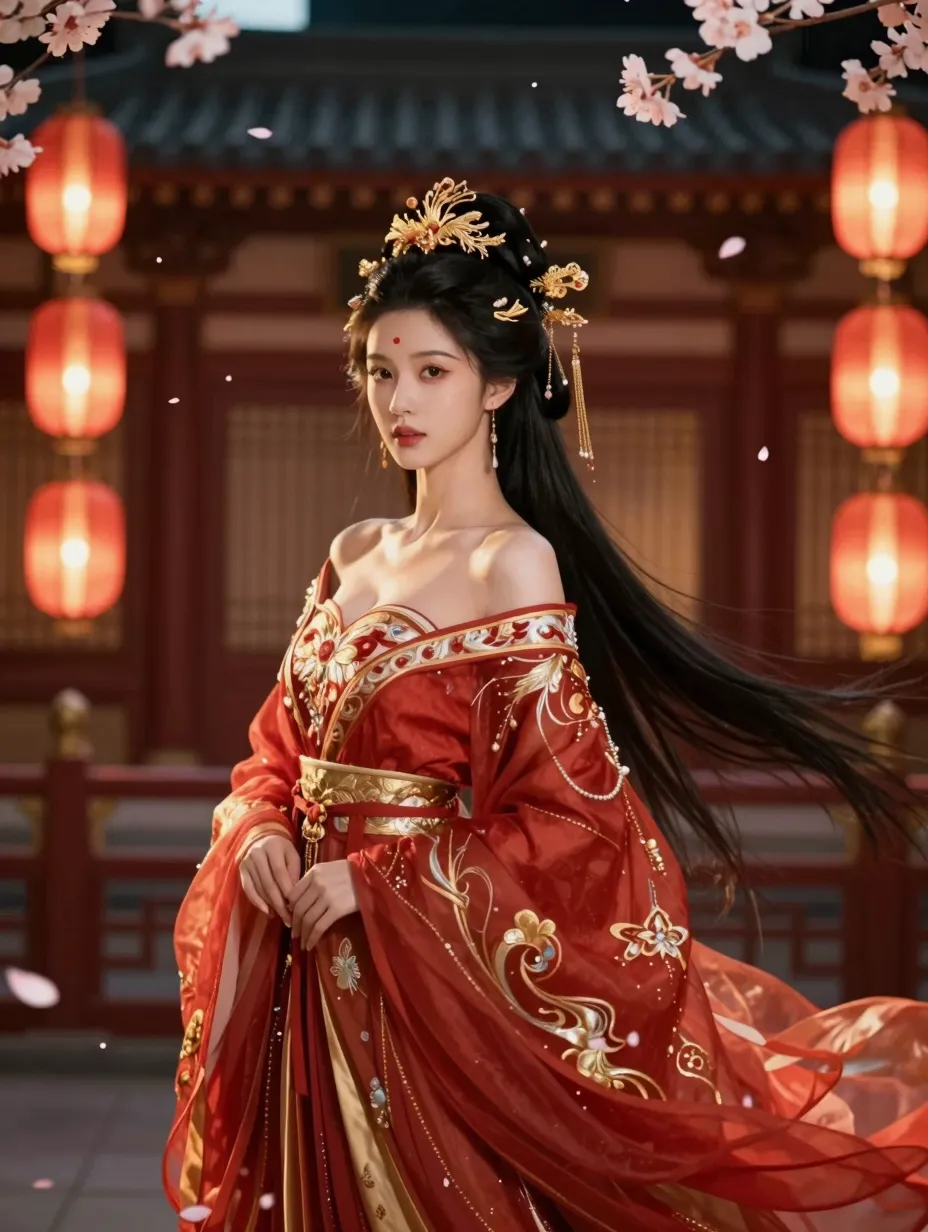
Text-to-video output from HappyHorse AI: start with a clear prompt, then refine motion and style.
What you will learn
- How to prepare an account and credits mindset.
- How to run text-to-video with a repeatable checklist.
- How to run image-to-video with before-and-after discipline.
- How to approach video-to-video style transfers responsibly.
- How to stretch free usage and fix common errors.
Table: who should read this guide
| Reader | Benefit |
|---|---|
| Solo creator | Faster onboarding |
| Team lead | Shared vocabulary |
| Educator | Classroom demos |
Internal resources
Pair this tutorial with HappyHorse prompt examples. Use AI video prompt generator guide when you want structured language. Visit the home page to open the app.
Table: choose your starting mode
| If you have… | Start with… |
|---|---|
| Only a written brief | Text-to-video |
| A product photo | Image-to-video |
| Licensed footage | Video-to-video tests |
List: timeboxed first session
- Ten minutes for account and settings.
- Twenty minutes for three prompt attempts.
- Ten minutes for notes and next steps.
Why HappyHorse-1.0 rewards structure
HappyHorse-1.0 reads prompts like creative briefs. Clear nouns and verbs reduce randomness. You should write prompts the way you would brief a cinematographer.
Honest expectations for day one
You may love the first clip. You may not. Both outcomes are normal. The skill is steady revision. You should judge progress across a week, not a single render.
Table: vocabulary for new users
| Term | Meaning |
|---|---|
| Prompt | Your written brief for the model |
| Tier | Quality or speed preset tied to credits |
| Reference | A still image that guides pixels |
| Artifact | A visual glitch you want to remove |
List: healthy goals for week one
- Finish three acceptable clips.
- Write ten prompt variants in your library.
- Teach one teammate your naming pattern.
Depth: connect goals to KPIs
If you run ads, tie clips to cost per result. If you teach, tie clips to quiz scores or completion rate. KPIs keep creativity accountable without crushing it.
Depth: align stakeholders before you render
Ask what success looks like. Ask which risks are off limits. Ask which brand assets must appear. Answers reduce churn later.
Depth: sound planning even if you generate silent clips
You may add voiceover later. You may add licensed music. You should leave headroom for audio cadence when you edit. Silent clips still need rhythm.
Table: audio pairing notes
| Genre | Editing tip |
|---|---|
| Voiceover | Leave clean pauses at cuts |
| Music | Match cuts to beats loosely |
| SFX | Add subtle whooshes for transitions |
List: export formats mindset
- Match your editor’s preferred codec when possible.
- Keep masters uncompressed or lightly compressed.
- Store backups on approved drives.
Prerequisites
You need a modern browser and a stable connection. You need a clear goal for your clip. You need honest expectations about retries.
Keep a charger nearby for long sessions. Stable power prevents rushed clicks near deadlines. Keep water nearby too. Hydration helps focus when you iterate prompts. Good focus reduces wasted retries and saves credits over time. You deserve steady progress.
Account and access
Sign in through the official site. Use your work email if your company requires it. Keep two-factor authentication on if your org mandates it.
Table: pre-flight checklist
| Item | Your action |
|---|---|
| Aspect ratio | Match TikTok, Reels, or YouTube as needed |
| Length | Pick a target duration that fits the platform |
| Brand | Gather colors and fonts for overlays later |
| Rights | Confirm you can use reference images |
Credits and free usage
Read HappyHorse AI free guide before you scale tests. Credits map to compute. Shorter clips often cost less.
List: tools that help nearby
- A notes doc for prompt versions
- A folder structure for exports
- A simple scoring rubric for quality
Table: asset naming pattern
| Segment | Example |
|---|---|
| Project code | APP-2026-Q2 |
| Mode | T2V |
| Version | v03 |
| Date | 2026-04-09 |
Depth: security basics
Use strong passwords. Avoid sharing sessions in public cafes. Log out on shared machines. Creative assets deserve the same care as email.
Depth: organize references by campaign
Store stills in subfolders. Tag vendor shots. Delete unused trials monthly. Clean folders reduce mistakes when deadlines press.
Mindset
You are learning a craft. First outputs may show artifacts. You will improve quickly if you log changes. Calm iteration beats random guessing.
Table: workspace setup
| Item | Tip |
|---|---|
| Display | Use a calibrated screen if color matters |
| Audio | Optional for review unless you add sound later |
| Notes | Keep prompts beside outputs |
Depth: define “done” early
You should define acceptance criteria before you generate. Example: “Face stable, product readable, no text in frame.” Criteria prevent endless tweaks.
Table: acceptance criteria examples
| Campaign type | Example criteria |
|---|---|
| App install | Clear UI mock, legible icon |
| Retail sale | Product centered, price legible in post |
| Course teaser | Calm pacing, inclusive imagery |
List: roles on small teams
- Creator writes prompts.
- Editor reviews motion and crop.
- Lead approves brand fit.
Even solo creators can rotate those hats on paper. The habit sharpens decisions.
Method 1: Text-to-Video (Step-by-Step)
Text-to-video is the fastest way to learn HappyHorse-1.0. You describe the scene. You set style and camera cues. You generate and review.
Table: sample brief you can copy
| Field | Example text |
|---|---|
| Audience | Mobile shoppers aged 25–40 |
| Platform | Vertical 9:16 |
| Tone | Upbeat, trustworthy |
| CTA | Shown in post overlay, not in AI text |
Depth: avoid on-screen text in prompts
Tiny generated text often looks wrong. You should plan titles in post. You keep control of fonts and legal copy.
Step 1: Write a one-line goal
State the audience and platform. Example: “A 12-second vertical teaser for a mobile app launch.” Goals keep prompts aligned.
Step 2: Draft a structured prompt
Use subject, environment, camera, lighting, and pace. Keep sentences short. You can mirror patterns from prompt examples.
Step 3: Choose tier and duration
Match tier to your QA bar. Use draft for exploration. Use higher tiers for external launches. Confirm duration fits your plan.
Step 4: Generate and review
Watch for face drift, texture crawl, and motion blur. Note timestamps. You will fix issues with targeted edits, not wholesale rewrites.
Depth: timestamp notes help editors
When you spot an issue at 0:04, write “0:04 face drift.” Editors jump faster. You save credits by avoiding vague feedback loops.
Step 5: Revise one variable
Change lighting or camera, not both at once. Re-run. Compare. Log the delta in your notes.
Depth: micro edits that help
You can swap “warm” for “cool” if skin tones drift. You can tighten “slow” to “very slow” if motion feels rushed. You can remove adjectives that fight each other.
Step 6: Export and name files
Use names that include date and version. Store prompt text in a sidecar file. Future you will thank present you.
Optional step: story beat for narrative clips
If you need a tiny story, write three beats. Beat one sets location. Beat two introduces tension. Beat three resolves or teases. Keep each beat short.
You may need multiple generations stitched in an editor. Plan transitions early. Jump cuts can work on social if pacing stays tight.
Table: T2V prompt blocks
| Block | Example cue |
|---|---|
| Subject | “A confident cyclist” |
| Environment | “Coastal road at sunrise” |
| Camera | “Slow lateral move” |
| Lighting | “Soft warm sidelight” |
| Style | “Clean commercial look” |
List: quality checks before export
- Faces look stable across the clip.
- Product shape stays recognizable if featured.
- Background supports the story without clutter.
- Motion matches the platform’s energy level.
You now have a full T2V loop you can repeat. Scale it when your team adopts shared prompt libraries.
Sub-steps: camera grammar for beginners
You can say “slow dolly-in” for intimacy. You can say “static wide” for clarity in busy scenes. You can say “gentle pan” for landscapes.
Avoid conflicting verbs. If you ask for a fast whip-pan and a stable face, you may get blur. Pick one primary motion.
Table: lighting words and mood
| Lighting phrase | Mood |
|---|---|
| Soft diffused key | Friendly and commercial |
| Hard spotlight | Dramatic and stylized |
| Overcast | Calm and natural |
| Neon rim | Futuristic nightlife |
List: platform energy mapping
- TikTok favors punchy motion and quick hooks.
- YouTube allows slower reads and wider shots.
- LinkedIn favors clean framing and readable faces.
Table: hook patterns for short clips
| Pattern | Prompt angle |
|---|---|
| Question | Open with curiosity in narration later |
| Demonstration | Show product motion early |
| Before and after | Keep lighting consistent |
Depth: iteration journal template
Line one states the goal. Line two states the prompt. Line three states what changed. Line four scores quality from one to five. This journal trains your eye fast.
You can share the journal with teammates. Shared language reduces debate. Everyone sees what changed between versions.
Table: score rubric example
| Score | Meaning |
|---|---|
| 5 | Ship as hero asset |
| 4 | Ship with minor post |
| 3 | Needs another retry |
| 2 | Wrong direction |
| 1 | Stop and rewrite brief |
List: creative constraints that help
- One location per clip.
- One wardrobe palette per series.
- One camera style per batch.
Method 2: Image-to-Video (Before and After)
Image-to-video helps HappyHorse-1.0 anchor pixels. You upload a still. You describe motion. You compare before and after thoughtfully.
Why use a reference still
Text alone may drift identity. A still gives edges, colors, and composition. Products and portraits benefit most.
Step 1: Prepare a clean image
Use sharp focus and neutral noise. Avoid tiny text in the frame unless you will replace it in post.
Step 2: Upload and describe motion
Say how subjects move. Say how the camera behaves. Keep verbs simple. You can request subtle head turns or gentle parallax.
Step 3: Compare before and after honestly
You evaluate whether the motion serves the story. You reject takes that distort the product. You regenerate with tighter cues.
Depth: lighting match between still and prompt
If your still uses studio lighting, keep prompt words aligned. If you ask for sunset outdoors while the still looks indoor, you may get conflict.
Table: I2V motion verbs
| Verb family | Feel |
|---|---|
| Drift | Dreamy, slow |
| Pan | Observational |
| Push-in | Intimate |

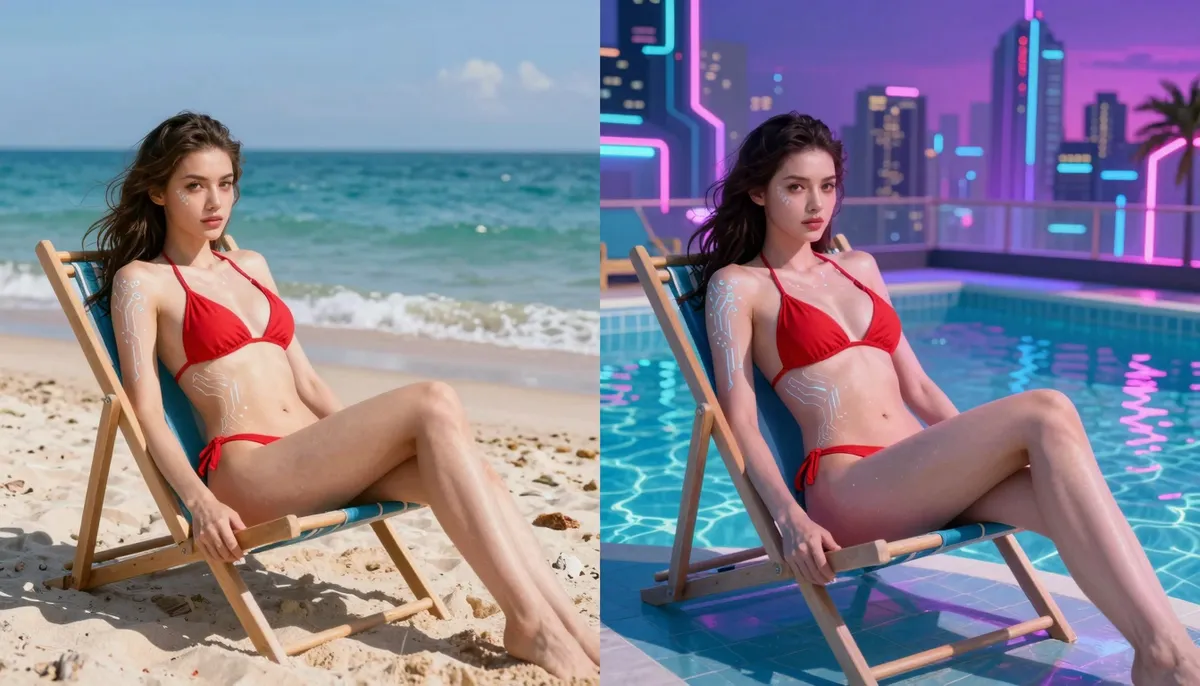
Before: your reference still anchors composition and identity for HappyHorse-1.0.
After: motion should respect the subject while adding life suitable for your channel.
Table: I2V troubleshooting
| Issue | Likely cause | Fix |
|---|---|---|
| Warped product edges | Motion too aggressive | Request slower motion |
| Face changes | Conflicting lighting words | Simplify prompt adjectives |
| Background shift | Camera verbs fight the still | Prefer locked camera cues |
List: image prep tips
- Crop to essentials.
- Balance exposure without crushed blacks.
- Avoid heavy filters that erase texture.
- Export at a resolution your plan supports.
Image-to-video rewards patience. You will see compounding gains as references improve.
Table: reference categories
| Category | Tip |
|---|---|
| Product | Center the hero SKU |
| Portrait | Leave headroom for motion |
| Landscape | Anchor horizon lines |
List: ethical capture
- Use images you own or licensed.
- Avoid identifiable people without releases.
- Avoid trademarks you cannot feature.
Depth: compare frames methodically
Open the still and the clip side by side. Scan edges first. Scan faces second. Scan text regions third. Edge issues often mean motion too strong.
Depth: pairing with text prompts
Start with minimal motion words. Increase intensity only after the base looks stable. HappyHorse-1.0 handles small deltas better than chaotic jumps.
Table: motion intensity scale
| Level | Description |
|---|---|
| 1 | Blink, subtle fabric shift |
| 2 | Head turn, slow walk |
| 3 | Strong camera move, fast action |
List: product shot pitfalls
- Reflections that confuse edges.
- Thin packaging text that melts.
- Hands interacting with small parts.
Depth: color accuracy for ecommerce
If color must match SKU, plan a correction pass. AI can approximate brand colors. Final approval may need a graded still or vector overlay.
Table: SKU-safe workflow
| Stage | Action |
|---|---|
| Generate | Focus on composition |
| Post | Color match to packaging |
| Approve | Legal reviews final pixel |
List: capture notes for product teams
- Film pack shots as references when possible.
- Keep spec sheets nearby for proportions.
- Avoid ultra-thin fonts in frame.
Method 3: Video-to-Video Style Transfer
Video-to-video workflows adapt an existing clip’s look or motion emphasis. Availability depends on product features at happyhorse-turbo.org. Always read on-site controls for the latest options.
Step 1: Source ethics and rights
You must own or license the base footage. You should not upload third-party content without permission.
Step 2: Define the style target
Name a film look, palette, or materials. Keep targets plausible. Extreme jumps may need more retries.
Depth: storyboards help V2V
You can sketch frames on paper. You can describe beats in a doc. Storyboards align stylization with narrative so tests stay focused.
Step 3: Run shorter tests first
Process a few seconds. Evaluate artifacts. Scale up when results look stable.
Step 4: Composite if needed
You may blend AI passes with original footage. Editors give final control.
Table: blend modes to discuss with editors
| Mode | Use |
|---|---|
| Replace | Full stylization pass |
| Overlay | Subtle texture |
| Mask | Protect logos or faces |
Depth: legal clearance for stylized footage
Some brands require original plates. Some campaigns allow heavy stylization. Ask before you publish. Keep emails on file.
List: V2V creative exercises
- Turn a daytime plate into dusk mood.
- Shift materials from plastic to brushed metal subtly.
- Add gentle film grain for a nostalgic ad test.
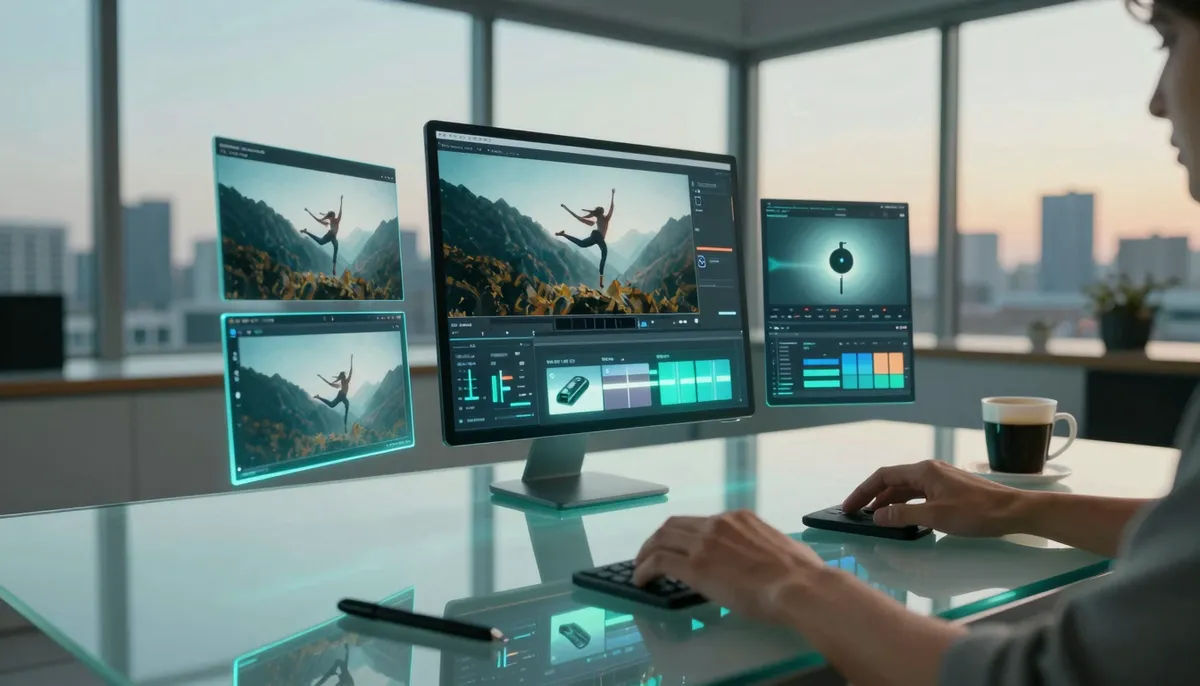
Video-to-video can explore stylization while you verify rights and quality at each step.
Table: V2V risk controls
| Risk | Control |
|---|---|
| Style drift | Narrow style words |
| Temporal flicker | Prefer stable lighting language |
| Identity change | Provide reference stills if supported |
List: when V2V shines
- Music video experiments
- Stylized ads for niche audiences
- Internal concept reels
You should still validate final outputs for brand fit.
Table: style targets versus risk
| Style target | Risk note |
|---|---|
| Film emulation | Keep claims modest |
| Cartoon | Watch facial drift |
| Monochrome | Check contrast for readability |
List: editorial finishing
- Color grade lightly for consistency.
- Add grain only if it fits the brand.
- Sharpen with care to avoid halos.
Depth: collaboration with editors
Hand off with a one-paragraph brief. Include intent, audience, and known weaknesses. Editors move faster with context.
Free Usage
Free tiers help you learn controls without large spend. Policies change, so read HappyHorse AI free guide for current limits.
Depth: treat free tiers like a class
You are not racing strangers online. You are building skill. You take notes. You compare attempts. You exit sessions with lessons, not just files.
Table: lesson prompts to try
| Lesson | Prompt focus |
|---|---|
| Camera | “Locked tripod, slow push-in” |
| Lighting | “Soft window light, morning” |
| Mood | “Calm, hopeful, clean background” |
List: avoid burnout
- Set a timer for sessions.
- Stand and stretch between runs.
- Share funny failures with teammates to reduce stress.
Table: free habits
| Habit | Benefit |
|---|---|
| Batch prompts offline first | Fewer wasted runs |
| Use draft where available | More iterations per day |
| Time-box sessions | Prevents fatigue mistakes |
List: what to avoid
- Spamming long clips during learning
- Skipping naming conventions
- Ignoring credit counters
Free usage builds skill. Paid usage scales output. Plan the transition with your team.
Table: weekly free practice
| Day | Task |
|---|---|
| Tuesday | One new camera phrase |
| Thursday | One reference image test |
List: what to measure
- Attempts per finished clip
- Minutes spent per accepted output
- Teacher or client satisfaction scores
Depth: when to upgrade
Upgrade when retries block launches. Upgrade when your team shares one login. Upgrade when quality gaps hurt revenue.
You can read What Is HappyHorse AI? for tier context before you change plans.
Table: free session template
| Minute | Activity |
|---|---|
| 0–5 | Review yesterday’s notes |
| 5–25 | Two focused generations |
| 25–30 | Log prompts and scores |
List: frugal creativity moves
- Reuse backgrounds across variants.
- Change hooks, not entire scenes.
- Export stills for thumbnails when allowed.
Depth: teach students on free tiers
You can demo concepts without high spend. You should still discuss ethics and accuracy. You should show how prompts change outputs with evidence.
Advanced Tips
Advanced work is mostly better process. You tighten libraries. You score outputs. You teach teammates.
Prompt libraries
Store winning prompts with tags like “vertical,” “product,” or “education.” Version them when HappyHorse-1.0 updates.
Table: advanced controls mindset
| Control | Purpose |
|---|---|
| Camera language | Reduces chaotic motion |
| Lighting words | Sets mood and readability |
| Negative cues | Removes stray objects |
Negative prompts with care
Tell the model what to avoid. Keep lists short. Long negatives can confuse priorities.
Table: negative cue examples
| Avoid phrase | Why |
|---|---|
| “No extra people” | Reduces crowded background drift |
| “No text overlays” | Reduces garbled letters |
| “No watermark” | Reduces fake logo patches |
Depth: chain prompts across a series
Episode one sets location. Episode two adds a new prop. Episode three reveals the CTA in post. Chaining keeps continuity without one giant prompt.
List: advanced collaboration rituals
- Weekly prompt review on video call.
- Shared folder with “approved” and “lab” areas.
- Monthly archive of top five prompts by metric.
Brand safety
Review outputs for unintended logos or text. Plan overlays in post for legal lines.
Table: brand review checklist
| Check | Question |
|---|---|
| Logo integrity | Does the mark look correct? |
| Color | Does palette match guidelines? |
| Talent | Do depictions respect policy? |
Depth: campaign retros
After each launch, review what worked. Note prompts, tiers, and results. Retros turn luck into process.
Cross-links for depth
Revisit What Is HappyHorse AI? when you need conceptual framing. Open prompt examples weekly to refresh language.
Table: prompt review rubric
| Criterion | Weight |
|---|---|
| Clarity | High |
| Motion fit | High |
| Brand alignment | Medium |
| Novelty | Low unless testing hooks |
List: teaching teammates
- Run a live session with shared screen.
- Review one prompt rewrite together.
- Assign homework clips with rubric scores.
Depth: multilingual prompts
You can prompt in languages you speak fluently. You should verify any on-screen text in post. Visuals may not match translation nuance.
If you mix languages in one prompt, you may confuse the model. Pick one primary language per attempt.
Depth: accessibility
Add captions in your editor. Describe visuals for audiences who need audio alternatives. Inclusive delivery expands reach.
Table: shot types for social testing
| Shot | Use |
|---|---|
| Wide | Establish place fast |
| Medium | Present people or products clearly |
| Close | Emotion or detail |
List: macro patterns in strong libraries
- Seasonal hooks with swapped nouns.
- Product categories with shared lighting.
- Brand colors expressed as plain language.
Depth: avoid overfitting to one lucky clip
One great render can mislead you. Replicate success with new seeds and dates. Reliability matters more than lottery wins.
Troubleshooting
Errors happen. You fix them with calm steps.
Table: common issues
| Symptom | First step |
|---|---|
| Upload fails | Check file type and size |
| Long queue | Retry off-peak hours |
| Odd colors | Remove conflicting style words |
| Busy background | Simplify scene description |
List: escalation path
- Retry with one variable changed.
- Swap tier if quality must rise.
- Ask support via official channels for billing bugs.
Network and cache
Clear cache if the UI misbehaves. Try another browser for isolation. Stability matters for long sessions.
When to stop and reset
If three retries show no progress, rewrite the prompt from scratch. Fresh structure often beats micro edits.
Table: support data to attach
| Data | Why |
|---|---|
| Timestamp | Helps reproduce issues |
| Browser | Isolates compatibility |
| Prompt text | Speeds diagnosis |
List: healthy habits after errors
- Save screenshots.
- Copy prompt text before refresh.
- Pause before you burn credits.
Depth: distinguish model limits from user errors
Model limits include tiny hands or melting textures. User errors include conflicting verbs. You fix each path differently.
Depth: performance on slow networks
Lower other bandwidth uses. Avoid uploading huge files when Wi-Fi is weak. Stable uploads reduce corrupted runs.
Table: browser hygiene
| Action | Reason |
|---|---|
| Update browser | Fixes codec issues |
| Disable heavy extensions | Reduces UI lag |
| Clear site data if stuck | Resolves odd states |
List: calm debugging phrases for teams
- “We will change one variable.”
- “We will log the prompt before retry.”
- “We will compare against rubric, not taste alone.”
Depth: sleep on hard problems
Sometimes you should stop for a meal. Fresh eyes catch issues you missed. AI workflows reward patience, not marathon panic.
Depth: archive learning, not just files
Save a short lesson per project. Example: “Warm light reduced face drift on Product X.” Future campaigns reuse that knowledge.
Save this guide link for onboarding teammates who are new to HappyHorse AI workflows.
Frequently Asked Questions
How do I start with HappyHorse AI?
Open the home page, sign in, and choose text-to-video for your first session. Follow the steps in Method 1.
What model powers HappyHorse AI?
HappyHorse-1.0 powers generation workflows described here.
How does image-to-video differ from text-to-video?
Image-to-video uses a still reference. Text-to-video relies on language alone.
Can I use HappyHorse AI for free?
Options may exist with limits. Read HappyHorse AI free guide.
Where can I learn prompting?
Use HappyHorse prompt examples and AI video prompt generator guide.
What if my clip has artifacts?
Simplify motion and camera words. Retry with one change at a time.
Can I use outputs commercially?
Follow product terms and laws. Seek counsel for sensitive campaigns.
How do I plan credits?
Compare pricing and track weekly usage.
What Is Next
You can deepen context with What Is HappyHorse AI?. You can sharpen language with prompt examples. You can stretch trials with free guide.
Depth: build a weekly rhythm
You schedule creation time like any craft. You protect focus blocks. You review outputs when you are fresh.
Table: weekly rhythm
| Day | Focus |
|---|---|
| Monday | New experiments |
| Wednesday | Iteration and fixes |
| Friday | Library cleanup and teaching |
List: documents to maintain
- Prompt library with tags.
- Rubric with team agreement.
- Export map for campaigns.
Table: your next three actions
| Action | Outcome |
|---|---|
| Build a prompt library | Faster team edits |
| Run weekly benchmarks | Honest quality tracking |
| Share naming rules | Cleaner archives |
Conclusion and CTA
You now have a practical path for T2V, I2V, and V2V thinking. Open happyhorse-turbo.org and run your first structured test today. Return to this guide when you onboard new creators. HappyHorse-1.0 works best when your process stays calm, documented, and ethical. Save your best prompts. Share credit for wins. Teach what you learn.
Final reminders
You keep prompt examples nearby. You revisit AI video prompt generator guide when language feels stiff. You read What Is HappyHorse AI? when you need the big picture.
Table: thirty-day skill plan
| Week | Focus |
|---|---|
| 1 | Text-to-video fluency |
| 2 | Image-to-video stability |
| 3 | Style tests and rubric scoring |
| 4 | Team library and naming standards |
List: signals you graduated from beginner
- You can explain why a prompt changed.
- You can pick a tier with confidence.
- You can review clips without emotional noise.
Table: stretch goals for motivated teams
| Goal | Path |
|---|---|
| Faster reviews | Shared rubric |
| Lower cost per clip | Draft-first policy |
| Higher win rate | Weekly prompt retro |
Depth: ethics as a skill
You learn fairness in depiction. You learn transparency with audiences. You learn caution with sensitive topics. Ethics protects your brand and your community.
Depth: celebrate progress
Creativity is work. When a clip ships, note what you learned. Positive loops build resilient teams.
Small wins matter. A stable face in a tough lighting brief is a win. A clean product edge is a win. Stack wins over weeks.
You are ready to produce with HappyHorse AI at steady quality. Keep learning. Keep logs. Keep ethics in view.