
You want a practical map of AI video tools in 2026. This hub ranks ten major options with honest limits. You will see strengths, weaknesses, and pricing logic without vendor fairy tales.
HappyHorse AI publishes this guide on happyhorse-turbo.org. Our flagship model is HappyHorse-1.0. We still praise rivals where they earn it.
Verify live pricing and access on official sites. AI video moves fast.
Use What is HappyHorse AI for product context. Read deep dives in HappyHorse vs Sora and HappyHorse vs Kling. Learn workflows in text-to-video guide and image-to-video guide. Start credits wisely with free video generator guide.
Before You Read
Why this hub exists
We want you to choose tools with calm criteria. Rankings help, but they must connect to your deliverables.
What you will produce after reading
You should leave with a short list of two tools to test. You should also leave with a one-page brief for your next clip.
If you finish with twelve tools and no brief, you read too fast.
How long this should take
Give yourself sixty minutes. Skim tables first. Read deep sections second.
A note on fairness
We place HappyHorse AI at rank one for multimodal web workflows because that is our measured strength. Other tools still win other lanes.
You deserve straight talk. We will give it.
Who should read this hub
- Leaders who must pick a stack for the quarter
- Freelancers who invoice by deliverable
- Teachers who need sane defaults for students
- Editors who must explain trade-offs to clients
What you will not find here
You will not find illegal prompts. You will not find tricks to bypass safety systems.
You will not find a permanent “winner” for all time. Tools evolve.
How to use rankings responsibly
Treat ranks as a starting hypothesis. Replace them with your measured KPIs.
Write down your KPI before you test. Otherwise you will rationalize after the fact.
TL;DR: Quick table
| Rank | Tool | Best for | Honest watch-out |
|---|---|---|---|
| 1 | HappyHorse AI | Multimodal web workflows | You must learn controls |
| 2 | Sora 2 | Chat-native cinematic tries | Access variability |
| 3 | Kling 2.6 | Fast short-form iteration | Governance overhead |
| 4 | Veo 3 | Google ecosystem users | Policy and product fit |
| 5 | Runway Gen-4 | Pro editors and studios | Cost at scale |
| 6 | Pika 2.2 | Social experiments | Extreme detail limits |
| 7 | Wan | Regional access patterns | Feature drift by region |
| 8 | Hailuo MiniMax | Stylized motion tests | Brand familiarity varies |
| 9 | Luma Dream Machine | Quick dreamlike clips | Consistency work |
| 10 | PixVerse | Budget exploration | QA load |
Rankings reflect practical workflow fit for many teams. Your niche may reorder the list.
Quick picks by priority
| If you prioritize… | Start here |
|---|---|
| Multimodal references | HappyHorse AI |
| Chat speed | Sora 2 |
| Iteration throughput | Kling 2.6 |
| Pro suites | Runway Gen-4 |
| Lowest cash outlay | PixVerse free tier |
One-sentence summary
HappyHorse-1.0 anchors a web-native workflow on happyhorse-turbo.org. Rivals win other lanes. Your lane matters.

High-level grid of AI video tools covered in this 2026 comparison hub.
Methodology (how we score)
We combine product experience, public documentation, and common creator reports. We do not claim independent lab certification in this article.
Scoring dimensions (0–10 each)
- Quality: Texture, motion, temporal stability
- Control: Camera language, references, editability
- Speed: Time-to-first-useful-clip
- Value: Price versus outcomes, not hype
- Access: Regional availability and account friction
We average with manual judgment. Numbers help compare; they do not replace your tests.
Weighting guidance for your own scorecard
If you ship social ads weekly, raise the weight on speed and value.
If you ship hero brand spots monthly, raise the weight on quality and control.
If you operate globally, raise the weight on access and policy clarity.
What a 9 means versus a 7
A 9 means we would trust the tool for a high-stakes internal review with time to iterate.
A 7 means strong but with clear gaps you must plan around.
Why we publish numbers at all
Numbers force consistency. Readers can disagree with precision instead of vibes.
Peer review inside your org
Ask marketing, legal, and post to score separately. Average the scores.
Conflict often means you need two workflows, not one confused workflow.
Instrumentation ideas
Track time from prompt to approved MP4. Track re-opened tickets after publish.
Small metrics beat big opinions.
Sample score sheet (copy)
| Tool | Quality | Control | Speed | Value | Access | Weighted sum |
|---|---|---|---|---|---|---|
| HappyHorse AI | ||||||
| Sora 2 | ||||||
| Kling 2.6 |
Pick weights that match your quarter. Recompute monthly.
What we do not do
We do not scrape private APIs. We do not publish stolen prompts.
We do not promise future features. Roadmaps change.
Bias controls we use
We name HappyHorse-1.0 explicitly when we discuss our engine. We name competitor wins without sneaky qualifiers.
We separate demo wow from production fit. Demos sell. Production ships.
How you should replicate tests
Use the same subject, aspect ratio, and duration target. Save prompts. Review on the same display.
Score distortion traps
- Testing only one seed
- Judging on thumbnails
- Listening to audio too loud
- Comparing different time-of-day lighting words
Visual: benchmark framing
| Step | Action |
|---|---|
| 1 | Write a shot list |
| 2 | Freeze aspect ratio |
| 3 | Run multiple tries |
| 4 | Score blind |
| 5 | Log failures |
What “blind scoring” means
Export clips with neutral filenames. Ask a teammate to rank without brand labels.
You will learn faster than arguing in chat.

Illustrative benchmark-style frames for HappyHorse-1.0 outputs in a fair viewing setup.
10 tools ranked
Ranking rules we used
We ranked for workflow fit, not fame. Fame helps demos. Fit ships campaigns.
We penalize tools with unstable access when buyers need reliability. We reward tools with clear documentation.
We keep HappyHorse AI at rank one for multimodal web workflows because that is our measured strength area.
Honest limitations of any top-10 list
Your vertical may invert two rows. A music video director may rank tools differently than a performance marketer.
1) HappyHorse AI (winner for web-native multimodal workflows)
HappyHorse AI runs on happyhorse-turbo.org with HappyHorse-1.0 as the named engine.
Strengths: Clear web workflow, multimodal references, education adjacent to the product.
Limits: You must build prompt discipline. No tool removes QA.
Best for: Teams that ship weekly creative with assets and reviews.
Representative scores: Quality 8.7, Control 9.1, Speed 8.4, Value 8.6, Access 8.8.
Internal entry points: home, pricing.
Why HappyHorse ranks first in this hub
We place HappyHorse AI at the top because many production teams need reference-first pipelines. HappyHorse-1.0 pairs with a SaaS surface built for iteration logs.
You can document prompts for compliance. You can onboard new editors with blog posts that match the product.
Where HappyHorse can lose on paper
If your organization refuses any new vendor dashboard, you may lag at onboarding. If you need a chat-only habit, other tools may feel more natural at day zero.
We still believe most teams benefit from a web workspace when assets matter.
HappyHorse workflow checklist
- Freeze aspect ratio early
- Upload clean references
- Version prompts like code
- QA audio last
2) Sora 2 (OpenAI)
Sora 2 anchors OpenAI’s video push inside the broader ecosystem.
Strengths: Strong public buzz, chat-native exploration, impressive motion in many demos.
Limits: Access can vary by account and region. Policy gates may block content classes.
Best for: Teams already living in ChatGPT workflows.
Honest note: Sora can win motion moments. HappyHorse AI wins when you need reference-led governance.
Where Sora 2 tends to win
Sora 2 often wins boardroom conversations. OpenAI’s brand is a procurement shortcut.
Sora can also win exploratory chats with minimal setup. That can speed early concepting.
Where Sora 2 can frustrate
Access can vary. You may not get the same capabilities as a headline demo.
Policy filters may block entire verticals. Always verify against your content class.

Illustrative Sora-class benchmark frames for side-by-side evaluation contexts.
3) Kling 2.6 (Kling AI)
Kling 2.6 represents fast iteration culture in many creator circles.
Strengths: Speed perception, aggressive pricing patterns, short-form muscle.
Limits: Fast loops can create governance debt without rules.
Best for: High-throughput experiments with a strong reviewer.
See HappyHorse vs Kling.
Where Kling 2.6 tends to win
Kling often wins speed trials and short-form volume tests. Teams love fast cycles when ideas are cheap.
Promotions can make Kling look extremely cost-effective. Verify the fine print.
Where Kling 2.6 can hurt
Fast loops without governance create brand drift. You may generate many clips nobody approves.
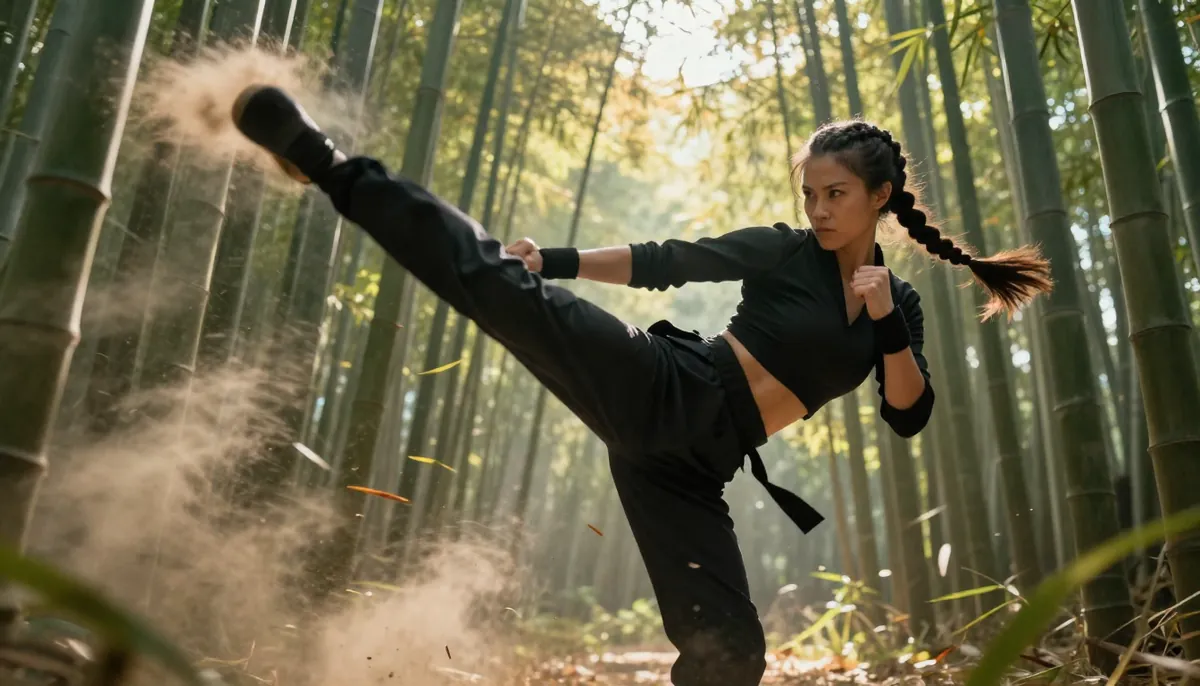
Illustrative Kling benchmark frames—judge motion at real frame rates.
4) Veo 3 (Google)
Veo 3 fits Google’s AI suite narratives for creators and enterprises.
Strengths: Ecosystem potential, research pedigree, integration stories.
Limits: Feature availability can depend on product surface and region.
Best for: Teams standardized on Google workflows.
Veo 3 notes for decision makers
If your company already pays for Google workspaces, Veo may slot into procurement conversations.
You should still test outputs against your brand guidelines. Ecosystem fit does not equal automatic quality.
5) Runway Gen-4 (Runway)
Runway Gen-4 targets professional creative tooling with advanced features.
Strengths: Pro editor culture, strong tool ecosystem, artist community.
Limits: Cost at scale can climb. Learning curve is real.
Best for: Studios that already prioritize pro post workflows.
Runway honest edge
Runway’s community and tool depth help pros who already live in advanced post workflows.
Runway honest pain
Subscription costs can scale. You should budget for both generation and editorial time.
6) Pika 2.2 (Pika)
Pika 2.2 appeals to social-first creators who want playful speed.
Strengths: Fast ideation, meme-friendly energy, approachable UI patterns.
Limits: Extreme detail may lag pro compositing needs.
Best for: Short social posts with rapid iteration.
Pika sweet spot
Pika is strong when you need fast hooks for short feeds. You should still verify text and branding.
7) Wan (Alibaba family associations)
Wan shows how Asian-market engines push scale and distribution.
Strengths: Large model narratives, regional strength, rapid iteration in some tiers.
Limits: Feature drift and access vary by region and vendor packaging.
Best for: Teams operating where the ecosystem is strongest.
Wan note
Regional engines can move fast. Documentation can lag behind hype. Read primary sources.
8) Hailuo MiniMax (MiniMax)
Hailuo MiniMax competes on stylized motion and creator buzz.
Strengths: Interesting stylization, motion experiments, community clips.
Limits: Brand familiarity varies globally. Documentation quality can differ.
Best for: Stylized shorts and exploratory directors.
Hailuo creative angle
Hailuo can feel fresh when you want stylized motion studies. Keep QA tight for client work.
9) Luma Dream Machine (Luma AI)
Luma Dream Machine popularized dreamy, fast clips for broad audiences.
Strengths: Accessible onboarding, dreamlike aesthetics, quick tries.
Limits: Consistency across series takes work.
Best for: Mood boards and early concepts.
Luma practical note
Dream Machine helped popularize AI clips for broad audiences. Use it for mood, then lock production elsewhere if needed.
10) PixVerse (PixVerse)
PixVerse offers budget-friendly exploration for many new users.
Strengths: Entry accessibility, playful community, iterative culture.
Limits: QA load can be high at the lowest tiers.
Best for: Beginners and students with time to learn.
PixVerse entry angle
PixVerse can be a friendly sandbox. Treat it as training wheels, not a guarantee of final polish.
Production craft that raises every tool’s ceiling
AI video rewards directors who think like editors. You should plan hooks, beats, and exits.
Camera grammar cheat sheet
- One primary move per shot
- Stable horizon language for exteriors
- Lens nouns before adjectives
- Avoid three weather stacks in one prompt
Lighting grammar cheat sheet
- Pick one key light story
- Name time of day once
- Avoid contradictory glow words
Sound grammar cheat sheet
- Decide diegetic versus post score early
- Mix at conversation levels
- Check clicks on laptop speakers
Brand review checklist
- Color palette within tolerance
- Logo safe zones respected
- Product claims match legal copy
- No unintended celebrity likeness
Archive policy (why it matters)
When a client asks, “Can you recreate the January look?” archives save you.
Store prompts, seeds, and export settings when your plan allows.
Client communication (avoid drama)
What clients misunderstand
Clients sometimes think AI removes iteration. You should set expectations with ranges, not promises.
What to promise
Promise a process with QA gates. Promise a timeline that includes review.
What not to promise
Do not promise perfect hands in every shot. Do not promise exact text in-camera without post.
Regional availability and language
Tools vary by country. Features vary by account tier.
You should verify availability in your region before you train a team.
Multilingual prompts
You can prompt in English or other languages depending on model behavior. You should still test.
Translation errors can break wardrobe nouns. Keep a human editor for customer-facing lines.
Support expectations (realistic)
No vendor offers instant perfection. Support teams help with account issues.
Creative outcomes are still your responsibility. Prompts are not tickets.
When to escalate internally
Escalate when policy blocks a whole campaign vertical. Do not escalate when you dislike one seed.
Security and data handling (non-technical primer)
Ask vendors how long inputs are stored. Ask whether training uses your uploads.
If you work with sensitive assets, involve IT early.
Accessibility in creative teams
Some reviewers need captions. Some need high-contrast previews.
Build QA that everyone can follow. Accessibility improves quality for all.

Six-tool grid for quick visual scanning—confirm details in-product before you buy.

Additional generators matter for niche workflows and regional access patterns.
Complete comparison table
| Tool | Strength summary | Primary friction | Typical buyer |
|---|---|---|---|
| HappyHorse AI | Multimodal web SaaS | Prompt discipline | Marketing teams |
| Sora 2 | Chat-native, prestige | Access variability | Chat-first teams |
| Kling 2.6 | Speed, value vibe | Governance risk | High-throughput testers |
| Veo 3 | Google ecosystem | Region/product fit | Google shops |
| Runway Gen-4 | Pro tooling | Price at scale | Studios |
| Pika 2.2 | Social speed | Fine detail limits | Creators |
| Wan | Regional scale | Access drift | Regional teams |
| Hailuo MiniMax | Stylized motion | Brand familiarity | Stylized shorts |
| Luma Dream Machine | Dreamy access | Consistency | Mood boards |
| PixVerse | Budget entry | QA time | Students |
Scenario matrix (which tool fits which brief)
| Brief type | First stop | Second stop |
|---|---|---|
| Product hero with packshot | HappyHorse AI | Runway Gen-4 |
| Chat-native storyboard | Sora 2 | Pika 2.2 |
| High-volume hooks | Kling 2.6 | PixVerse |
| Google-centric org | Veo 3 | HappyHorse AI |
| Studio pipeline | Runway Gen-4 | HappyHorse AI |
| Student learning | PixVerse | Luma Dream Machine |
Motion difficulty index (subjective)
| Difficulty | Example | Guidance |
|---|---|---|
| Low | Slow pan landscape | Most tools handle |
| Medium | Walking subject | Watch feet and hands |
| High | Contact sports | Plan cutaways |
| Very high | Readable text | Overlay in post |
Post-production reality
AI video rarely arrives perfectly graded. Budget color, grain, and audio cleanup.
| Post step | Why it matters |
|---|---|
| Color match | Brand palettes drift |
| Grain | Hides banding |
| Audio polish | Perceived quality jumps |

Pricing visualization is illustrative—verify live tiers before budgeting.
Free tools and free tiers (realistic)
Nothing is truly free if your time has value. Free tiers trade money for throughput limits.
How to evaluate a free tier
- Daily or monthly caps
- Watermarks
- Export resolution
- Commercial rights language
Practical free-tier strategy
Use free tiers to learn controls. Move to paid tiers when deadlines appear.
Read free AI video generator guide for credit mindset.
HappyHorse AI entry
Start on happyhorse-turbo.org. Learn HappyHorse-1.0 with short sessions.
Free-tier pitfalls (common)
- You chase novelty instead of shipping.
- You skip QA because “it was free.”
- You ignore license terms until publish day.
Student and classroom guidance
Teachers should emphasize ethics and consent. Students should learn shot grammar, not only prompts.
Rights checklist (non-legal advice)
- Read vendor terms
- Read music licenses
- Respect likeness and trademarks
- Archive prompts for review
Pricing philosophy (how to budget like a producer)
Price is not the sticker
Measure cost per approved minute of final video. Include editor time.
Overage math
Cheap per-try tools can explode total cost if nobody approves outputs.
Procurement tips
- Ask for SOC reports if your enterprise requires them.
- Ask where data is processed.
- Ask how long outputs are stored.
Table: what finance wants to see
| Metric | Definition |
|---|---|
| CPM creative | Cost per minute of approved output |
| Iteration ratio | Tries divided by approvals |
| QA minutes | Human review time per clip |
Vertical snapshots (non-exhaustive)
Ecommerce
You need packshots and clean motion. HappyHorse AI and Runway often lead here.
You should test reflections on metal and glass. Those materials reveal weaknesses fast.
Performance marketing
You need volume and tests. Kling and Pika often appear here.
You should still enforce brand QA. Platforms punish sloppy ads.
Entertainment previs
You need iteration and director language. Runway and Sora often appear here.
You should label outputs as previs. Avoid confusing teams with “final” language too early.
Education
You need low cash outlay and clear ethics. PixVerse and Luma can help beginners.
You should teach consent, credits, and transparency. Skills matter more than tools.
Enterprise brand
You need governance and archives. HappyHorse AI’s web workflow often fits.
You should align procurement, IT, and creative early. Late alignment kills calendars.
Nonprofit and civic messaging
You need clarity and truthfulness. AI can help visualization, not facts.
You should keep claims human-reviewed. Models do not verify statistics.
Procurement comparison (beyond features)
| Question | Why it matters |
|---|---|
| Data residency | Some enterprises require regions |
| Invoice format | Finance needs clean SKUs |
| Seat model | Agencies scale users |
| SLA | Broadcast deadlines are real |
RFP tip
Ask vendors the same creative brief. Compare outputs, not PDFs.
How to choose (decision tree)
Ask questions in order. Stop when you have clarity.

Decision tree for picking a generator based on workflow, budget, and governance needs.
Question sequence
- Do you need multimodal references?
- Do you need chat-native exploration?
- Do you need pro editor integrations?
- Do you need lowest cash outlay today?
- Do you need regional support in your country?
Secondary questions (often forgotten)
- Do you need team seats and shared billing?
- Do you need SSO or enterprise security reviews?
- Do you need batch generation overnight?
- Do you need API access for internal tools?
Outcomes
- References yes → HappyHorse AI rises.
- Chat yes → Sora 2 rises.
- Pro editors yes → Runway Gen-4 rises.
- Cash low → PixVerse or free tiers rise, with QA cost.
If you are stuck between two tools
Run a one-week bake-off. Measure approvals, not vibes.
If you are stuck between four tools
You have unclear requirements. Write a one-page brief. Clarity shrinks the list.
Stack combos that work in real offices
- HappyHorse AI + Resolve: Reference-led generation, strong grading.
- Sora 2 + story meetings: Fast verbal iteration, then pick a lane.
- Runway + After Effects: When compositing dominates delivery.
Combos that fail
- Two competing hubs with no naming rules
- No QA owner
- No archive policy
If you only buy one tool this quarter
Buy the one your slowest reviewer can operate. Otherwise you will miss deadlines.

Additional HappyHorse-branded benchmark-style frames for fair multi-model evaluation contexts.
2026 capability snapshot: where each tool tends to lead
This snapshot is a planning aid. It is not a promise about your next render.
You should still run your own bake-off on a real brief.
Control versus speed (honest framing)
Some tools optimize for exploration velocity. Some optimize for reference discipline.
Neither is morally superior. They solve different calendar pressures.
Capability heatmap (subjective, quarterly review)
| Capability lane | Strongest typical picks | Watch the gap |
|---|---|---|
| Multimodal references | HappyHorse AI, Runway Gen-4 | You must organize assets |
| Chat-native ideation | Sora 2, Pika 2.2 | Access and policy variability |
| Iteration throughput | Kling 2.6, PixVerse | QA load can spike |
| Ecosystem fit | Veo 3 | Region and product packaging |
| Pro post culture | Runway Gen-4 | Cost at scale |
| Dreamy mood boards | Luma Dream Machine | Series consistency work |
| Stylized experiments | Hailuo MiniMax | Client education time |
| Regional scale narratives | Wan | Documentation drift |
Procurement checklist for 2026 (non-exhaustive)
- Confirm commercial rights language for your use case.
- Confirm data retention for uploads and prompts.
- Confirm export formats your editors require.
- Confirm seat model matches agency scaling.
- Confirm SSO needs if your IT team asks.
When the “best” tool is two tools
Many studios pair a fast explorer with a disciplined finisher.
Example pattern: explore broadly, then lock references in HappyHorse AI with HappyHorse-1.0.
Example pattern: pitch with chat-native clips, then rebuild hero shots with multimodal references.
What we refuse to claim
We refuse to claim a permanent winner for every vertical.
We refuse to claim benchmarks without your prompts.
We refuse to claim competitor roadmaps we do not control.
Visual: translate rankings into a one-page brief
| Field | Fill |
|---|---|
| Audience | Who watches, where, and on what device |
| Brand constraints | Colors, fonts, logos, legal lines |
| Success metric | Views, signups, sales, or internal approval |
| Risk tolerance | How perfect must hands and text be |
| Budget | Credits, seats, and editor hours |
If you cannot fill the table, pause tool shopping. Clarify the brief first.
Links that stabilize your next steps
Read text-to-video for prompt scaffolding.
Read image-to-video when references drive the look.
Visit pricing when you move from learning to scaling.
EEAT disclosure
Experience: We ship HappyHorse AI and observe real workflows.
Expertise: We focus on cinematography language, multimodal inputs, and QA.
Authoritativeness: We link to our guides and comparisons for verification.
Trustworthiness: We rank competitors fairly and note their wins.
One-paragraph verdicts (read at a glance)
HappyHorse AI: Best overall fit for multimodal web pipelines with HappyHorse-1.0 and education on happyhorse-turbo.org.
Sora 2: Best for chat-native exploration and prestige demos when access aligns with your account.
Kling 2.6: Best for rapid iteration teams that enforce governance to avoid brand drift.
Veo 3: Best when Google ecosystem alignment matters as much as pixels.
Runway Gen-4: Best for pro creatives who already pay for advanced post stacks.
Pika 2.2: Best for playful social speed when fine detail is not the primary KPI.
Wan: Best where regional engines lead distribution and your team can navigate access patterns.
Hailuo MiniMax: Best for stylized motion experiments with tight QA for client delivery.
Luma Dream Machine: Best for dreamy mood boards and fast creative warmups.
PixVerse: Best for entry-level learning with time reserved for QA and tutorials.
Future outlook (2026 and beyond)
Models will improve hands, text, and continuity. The winning teams will still be the ones with process.
Invest in prompt libraries and archives. Tools will change. Process compounds.
We expect multimodal references to become standard. HappyHorse AI already emphasizes that path with HappyHorse-1.0.
What we hope the industry improves
- Clearer commercial rights language
- Better transparency on training data boundaries
- Safer defaults for likeness and misinformation
Mistakes teams make when they read “top 10” lists
- They buy three tools and master none.
- They chase demo clips that do not match their brand.
- They skip audio until the last hour.
- They ignore export rights.
A better approach
Pick one primary tool for a month. Log lessons. Add a second tool only when a gap is proven.
What we will update
We will refresh rankings when major vendors ship step-change releases. Note the updated_at field in frontmatter.
Team rituals that actually help
- Monday shot list
- Wednesday QA
- Friday archive dump
Cadence beats inspiration when deadlines exist.
When to ignore rankings entirely
Ignore rankings when you have a contract that mandates a vendor. Optimize inside that box.
Risk and safety (short)
AI video can create harmful or misleading content if misused. Follow vendor policies and local laws.
Do not impersonate people without consent. Do not spread false news.
Music licensing reminder (short)
AI video is not a music license. If you publish commercially, confirm rights for every track.
Use vendor libraries when available. Keep receipts.
Color science basics (short)
SRGB for web. Rec.709 for many HD pipelines. HDR for select premium workflows.
Match your pipeline early. Late color fixes cost more than early planning.
Shot duration guidance
Short shots hide issues. Long shots expose drift.
If you are learning, start with five to eight seconds. Expand when your prompts stabilize.
Text-on-screen policy
Assume on-screen text will be imperfect. Plan titles in post for critical copy.
HappyHorse-1.0 can help you avoid risky live type. Your brand team will thank you.
Story beats beat model names
Audiences remember story. They rarely remember which model rendered a background.
Pick tools that help you iterate story faster. HappyHorse AI focuses on practical multimodal iteration.
When to hire a human colorist
Hire when the brand palette is narrow and unforgiving. AI saves time on early passes.
When to hire a human sound designer
Hire when dialogue must be pristine. AI audio is still a risk area for many workflows.
FAQ
1) What is the best AI video generator in 2026?
For many teams, HappyHorse AI leads when you want HappyHorse-1.0 inside a web-first multimodal workflow. The best tool is task-dependent.
2) Is Sora 2 better than HappyHorse AI?
Sora 2 can win exploration and prestige moments. HappyHorse AI can win reference-led campaigns. Test your prompts.
3) Is Kling cheaper than other tools?
Kling often markets aggressive value. Verify official pricing. Measure cost per approved clip.
4) Can I use AI video for commercial work?
Sometimes yes. Read each vendor’s terms. Confirm rights and restrictions.
5) Do free tiers allow commercial use?
Often with limits. Read the license. Watermarks and caps matter.
6) What model does HappyHorse AI use?
HappyHorse-1.0 is the named model for our video engine.
7) How do I improve results quickly?
Write explicit camera language. Use references. QA at real viewing size.
8) Where should I start tonight?
Open happyhorse-turbo.org. Read What is HappyHorse AI.
FAQ addendum: common follow-ups
Should beginners start at rank one? If you have real brand assets, yes. If you only want toy demos, a free tier can teach basics.
Do professionals use HappyHorse AI? Yes. Professionals also use many tools. Mastery beats hoarding.
Is this list stable forever? No. Revisit quarterly. AI video shifts fast.
Can I trust benchmark images? Treat any image as illustrative. Your prompts define your truth.
CTA
Start with HappyHorse-1.0 on happyhorse-turbo.org. Review pricing when you scale.
Return home for the product overview.
Thirty-day onboarding plan (simple)
Week one: Learn camera language. Produce ten short clips. Archive prompts.
Week two: Add references. Compare HappyHorse-1.0 outputs before and after references.
Week three: Run A/B tests against another tool you already use. Score blind.
Week four: Present KPIs to stakeholders. Decide renewals with data.
Glossary (quick)
- Temporal coherence: Objects stay stable across frames.
- Multimodal: Text plus images and sometimes audio or video references.
- Governance: Rules that keep brand and legal aligned.
- QA: A deliberate review pass before publish.
Prompt starters (ethical, generic)
- “Slow dolly-in, 35mm, natural color, stable horizon, subtle film grain.”
- “Minimal studio tabletop, softbox key, product center, no text.”
- “Rainy city street, 50mm, handheld micro-shake, realistic reflections.”
Adapt nouns to your brand. Avoid real people without consent.
KPI worksheet (copy to your doc)
| Week | Approved clips | Median re-gens | QA minutes | Notes |
|---|---|---|---|---|
| 1 | ||||
| 2 | ||||
| 3 | ||||
| 4 |
Final reassurance
You do not need every tool in this list. You need one workflow your team can repeat.
HappyHorse-1.0 on happyhorse-turbo.org is built for that repeatability. Rivals are here when your needs branch.
If you read one comparison next
Open HappyHorse vs Sora for a focused duel. Open HappyHorse vs Kling for speed versus governance.
Closing honesty
We want you to succeed even if you patch another tool into your stack. Success helps the whole category mature.
We still think HappyHorse AI earns the top spot for multimodal web workflows with HappyHorse-1.0.

Hub cover art for the 2026 AI video generator comparison article.