
Text-to-video AI turns written prompts into short clips without a camera crew. This guide explains concepts, workflow, and quality tips using HappyHorse AI and the HappyHorse-1.0 model on happyhorse-turbo.org.
You can open the Home page anytime for the main app entry. For product context, read what HappyHorse AI is before you generate your first clip.
TL;DR
- Text-to-video (T2V) models predict motion and appearance from language. You describe a scene, and the system renders frames over time.
- Modern systems blend diffusion ideas with transformers. They denoise latents while conditioning on your prompt and timing hints.
- Quality depends on prompt structure, iteration, and realistic expectations about physics and text rendering.
- HappyHorse AI offers a practical path from prompt to preview on the text-to-video tool. The HappyHorse-1.0 model focuses on coherent motion for common creator scenarios.
- Pair this article with the HappyHorse prompt guide and the AI video prompt generator guide for reusable patterns.

Overview art for the text-to-video workflow you can run in HappyHorse AI with HappyHorse-1.0.
What is text-to-video AI?
Text-to-video AI is software that maps natural language to video pixels. You type a description, and the model proposes a sequence of frames that match your intent.
The output is usually seconds long. Many products cap length to control compute and stability.
Creators use T2V for ads, social posts, concept tests, and storyboard motion. Educators use it for quick visual explanations.
The field moved quickly after image diffusion matured. Video adds a time axis, so models must keep identity and lighting stable across frames.
Inputs and outputs you will see in real products
Inputs are mostly text. Some tools add style presets, motion sliders, or negative prompts.
Outputs are short clips with frame rates that match the product defaults. Frame rates affect motion blur perception.
Some workflows return multiple variants. Pick the strongest take, then refine with small edits.
Common vocabulary (quick glossary)
- Prompt: The text instruction that conditions generation.
- Variant: A distinct output from a prompt or seed change.
- Temporal artifact: A glitch that appears only when frames play in sequence.
- Identity drift: A subject slowly changes appearance across time.
What T2V is not
It is not a full nonlinear editor. It does not replace licensing for music, talent, or trademarks by default.
It is not guaranteed factual news video. Do not treat outputs as evidence without verification.
It is not a single universal model. HappyHorse-1.0 is one product line inside HappyHorse AI, tuned for practical iteration.
Table: signals of a strong T2V brief
| Signal | Why it matters |
|---|---|
| One hero subject | Reduces identity competition in the frame |
| Clear camera verb | Gives the model a stable motion target |
| Honest duration | Short clips fail less often than epic requests |
| Planned aspect ratio | Composition pressure changes with crop |
List: common prompt conflicts to fix early
- Wide shot plus extreme facial detail: distance and detail fight each other.
- Fast action plus locked tripod: motion language becomes contradictory.
- Neon noir plus bright midday: lighting cues clash unless intentional.
- Ten props plus one second: density exceeds what short clips can hold.
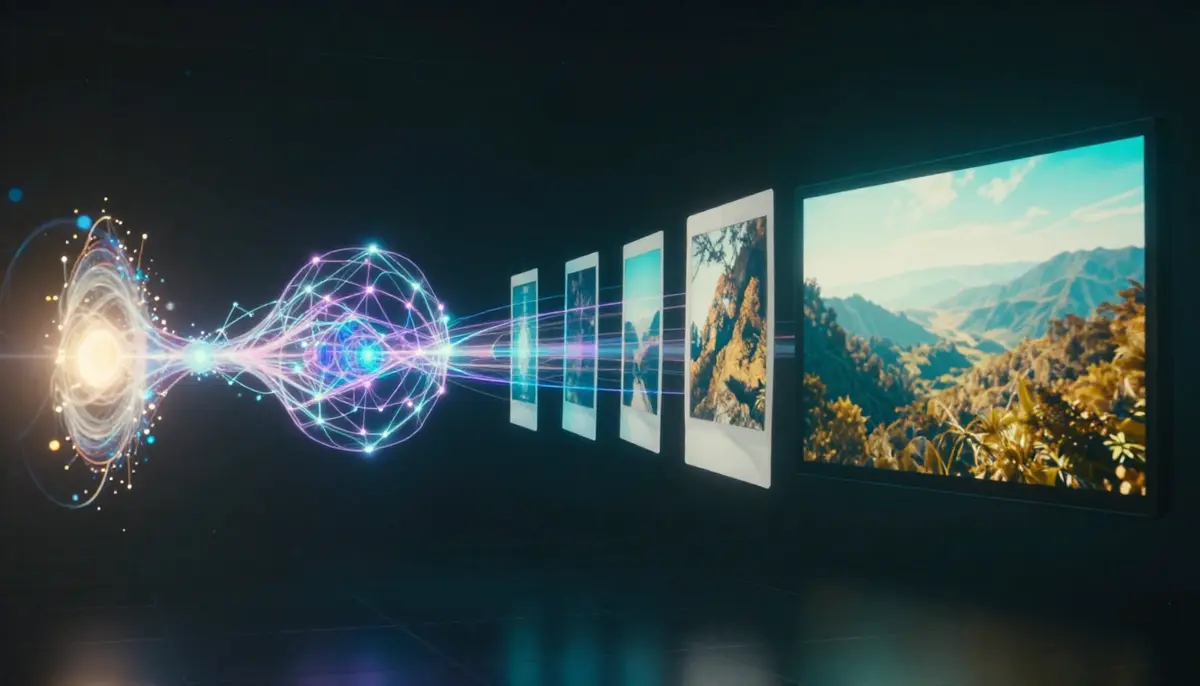
A high-level view of prompt conditioning, latent prediction, and frame synthesis in modern T2V systems.
Why creators care about T2V now
T2V reduces the cost of motion ideation. You can explore ten directions in the time a traditional shoot would spend on lighting setup alone.
Teams still need editorial judgment. AI video is a draft engine, not a full replacement for production audio, talent releases, and brand legal review.
For a wider market scan, see best AI video generators in 2026.
How this guide earns your trust (EEAT)
This article explains mechanisms in plain language. It separates facts about models from workflow advice you can test.
HappyHorse AI ships product updates over time. Treat any date-stamped guide as a snapshot, then verify labels inside the app.
We cite common industry patterns, not secret model internals. Your own clips remain the best ground truth.
When we recommend HappyHorse-1.0, we mean the model line surfaced in HappyHorse AI for typical creator clips. Always confirm the exact label in your account.
Who should read this post
Marketers learn how to brief motion without a full studio. Educators learn how to keep visuals clear and stable.
Developers learn enough to integrate AI drafts into pipelines. Beginners learn a safe first workflow without jargon walls.
How text-to-video AI works (diffusion and DiT)
Most public T2V systems build on diffusion training. A model learns to reverse a noise process that would otherwise destroy structure in video latents.
Instead of predicting pixels directly in RGB space, many systems compress frames into a latent grid. That grid is cheaper to denoise at usable resolutions.
Conditioning tells the network what to draw. Text embeddings come from a language encoder. Timing and motion hints may arrive as extra tokens or controls.
Diffusion loops in plain language
The generator starts from random latents. Each step removes a little noise according to the prompt and the current timestep.
Early steps fix global layout. Later steps refine textures, edges, and small motion cues.
If a step is misaligned with the prompt, you see drift. Faces may morph, objects may pop, or shadows may crawl.
Diffusion transformers (DiT) and why they matter
Some modern architectures use transformer blocks inside the denoiser. People often call these diffusion transformers, or DiT-style stacks.
Attention helps long-range consistency. It relates distant patches when a character turns or when a camera move reveals new background.
DiT-style designs are not magic. They still need careful prompts and sane durations.
Temporal consistency in simple terms
Video is thousands of linked decisions. A model must keep a jacket the same color as a character turns.
Temporal modules, attention, and training objectives push frames to agree. They do not guarantee perfect memory.
When consistency breaks, you see texture crawling, shifting logos, or faces that age between frames.
Latent space and why compression matters
Latents trade raw pixel detail for speed. That trade helps real-time iteration on consumer hardware.
The trade also means tiny prompt changes can shift details you did not name. Iteration is normal.
If you need crisp edges, plan post-sharpening in an editor rather than expecting razor text from the generator.
Conditioning signals you should know
- Text prompts describe subjects, style, lighting, and camera behavior.
- Aspect ratio and resolution change composition pressure and detail budgets.
- Duration affects stability. Longer clips often show more error accumulation.
- Negative prompts (when supported) reduce common failure modes like warped hands.
Table: translate client language into camera language
| Client phrase | Useful camera rewrite |
|---|---|
| “Make it pop” | Soft key, gentle push-in, crisp speculars |
| “Premium vibe” | Slow dolly, shallow depth, clean reflections |
| “Urgent” | Handheld micro-shake, quicker cuts in post, not chaos in one clip |
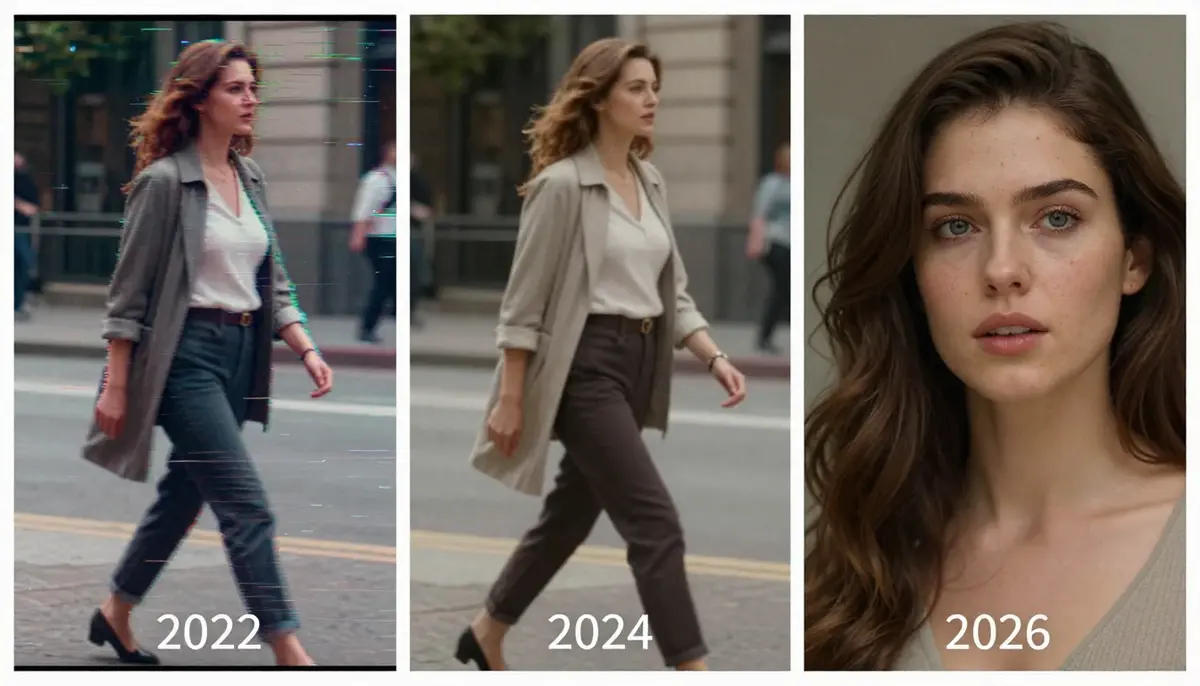
Text-to-video research moved from narrow demos to broad creator tools within a few years.
Tech evolution timeline (practical mental model)
You do not need a PhD to use T2V. You do need a simple historical map so you set expectations.
- Pre-2022: Academic prototypes and short clips with heavy artifacts dominated public demos.
- 2022–2023: Image diffusion went mainstream. Video work borrowed image backbones and added temporal layers.
- 2023–2024: Latent video diffusion improved motion coherence. User interfaces became simpler for non-experts.
- 2024–2025: Tooling integrated safety filters, style presets, and faster previews for iterative workflows.
- 2026: Products emphasize workflow fit, prompt assistance, and realistic limits on physics and text.
This timeline is a simplification. It still helps you judge marketing claims on social media.
What changed for everyday creators
Interfaces now focus on prompt boxes, presets, and iteration loops. Model names matter less than your ability to describe motion clearly.
Platforms also publish clearer policies on content and commercial use. Always read terms for your account type.
What “2026-ready” actually means for you
It means better defaults, clearer guardrails, and faster iteration loops. It does not mean physics is solved.
It also means you should archive prompts with filenames. Reproducibility still varies across model updates.
Keep a changelog for your team. Note date, prompt, settings, and output filename.
Step-by-step tutorial: text-to-video with HappyHorse AI
Follow these five steps when you generate with HappyHorse AI and HappyHorse-1.0. Adjust details to match your project, but keep the sequence.
Step 1: Define the shot goal and audience
Write one sentence about the outcome. Example: “A 6-second product hero with soft daylight and a slow push-in.”
Pick a platform format early. Vertical feeds reward different framing than widescreen explainers.
List three must-have visual anchors. Example: “glass bottle,” “wood table,” “warm highlights.”
Add a non-goal line. Example: “No human talent face close-ups,” if your brand avoids synthetic likeness risk.
Write the call-to-action plan separately. AI video rarely includes perfect on-screen text.
Step 1 production notes
Stakeholders often ask for “cinematic” without defining it. Translate adjectives into camera nouns your team agrees on.
If you need brand colors, reference them as mood, not hex codes inside the prompt. Add precise color in post.
Keep legal constraints visible while you brainstorm. Prompts are fast, but policy review still takes time.
Step 2: Draft a structured prompt
Use a consistent order: subject, environment, lighting, camera, style, motion, and exclusions.
Keep sentences short. Long paragraphs in a prompt often dilute emphasis.
Save variants in a notes doc. Number them so you can compare outputs without confusion.
Add a “motion sentence” last. Motion is often the first thing viewers feel, even before they parse objects.
Step 2 production notes
Synonyms are not identical. “Gliding camera” and “dolly in” can produce different paths.
Avoid double negatives. They confuse humans and models.
If you want photoreal results, say “natural skin texture” and “real-world materials.” If you want stylized, say so early.
Step 3: Open the generator and set format controls
Visit the text-to-video experience on happyhorse-turbo.org. Sign in if your workspace requires credits or account limits.
Choose aspect ratio to match your distribution plan. Pick duration that fits the motion you described.
Paste your best prompt variant first. Leave room for iteration rather than chasing perfection on attempt one.
Confirm your account credits or limits so you do not stop mid-session. Budget two to five iterations for new subjects.
Step 3 production notes
Aspect ratio changes composition, not just cropping. Reframe prompts when you switch ratios.
If your tool offers seed or variation controls, document the values you used. Reproducibility helps team reviews.
Keep browser zoom at a normal level. UI scaling should not trick you into misreading preview sharpness.
Step 4: Generate, watch, and diagnose
Run generation with HappyHorse-1.0 after your settings look correct. Preview with sound off first so you focus on motion and identity.
Scan for five issues: face stability, object permanence, contact points, perspective shifts, and background drift.
If the clip fails, edit one prompt block at a time. Change lighting or camera before you rewrite the entire scene.
Pause playback on three frames: start, middle, and end. Those points reveal drift early.
Step 4 production notes
If faces appear, check ear symmetry and hairline stability across frames. Those areas show errors first.
If liquids move, look for impossible splashes that break continuity. Simplify the action if needed.
If shadows jitter, add “stable contact shadow” style language when your tool responds to that phrasing.
Step 5: Iterate, export, and publish responsibly
Duplicate successful prompts and make small edits. Big random jumps waste time and credits.
Export the clip in the format your editor expects. Keep a copy of the prompt text with the file name.
Add disclosures where your workflow requires them. Follow platform rules for synthetic media labels when applicable.
Name files with date and variant. Example: 2026-04-09-product-hero-v3.mp4.
Step 5 production notes
Publish is not the end. Track performance, then return to prompt verbs that correlate with retention.
If a clip works, duplicate the prompt into a team library. Future you will appreciate the saved time.
Keep a “failure log” too. Failed prompts teach constraints faster than success alone.

Use the HappyHorse AI workspace to align prompt, model choice, and format before you generate.

Screenshot-style reference for the tutorial flow inside HappyHorse AI. Treat it as a generic UI guide for HappyHorse-1.0 runs.
Quick checklist before you click generate
- Prompt clarity: Nouns and verbs match the motion you want.
- Camera words: “Slow pan,” “locked tripod,” or “handheld micro-shake” change outcomes.
- Style words: “Clean commercial,” “16mm grain,” or “soft anime linework” steer texture.
- Safety: Remove disallowed content before you waste a retry.
Best text-to-video tools (comparison table)
No single tool wins every scenario. Use this table as a starting point, then validate with your own clips.
| Tool type | Strength | Trade-off | Best for |
|---|---|---|---|
| HappyHorse AI | Integrated workflow with HappyHorse-1.0 and clear iteration | Feature set depends on plan and region | Creators who want a focused web workflow on happyhorse-turbo.org |
| General-purpose AI suites | Broad model menus | Complexity and shifting defaults | Teams that already live inside a large platform |
| Mobile-first apps | Fast sharing | Less fine control | Short social experiments |
| Open-source stacks | Maximum control | Setup burden and maintenance | Engineers with GPU access |
External tools change often. Prefer hands-on tests over brand slogans.
Evaluation criteria for serious teams
Measure time-to-first-good-frame in your real briefs. Marketing slides rarely match your lighting needs.
Measure editability. Clean edges and stable backgrounds reduce rotoscope work later.
Measure policy fit. A flashy demo means little if your industry cannot publish the output.
Where HappyHorse AI fits in a comparison workflow
Start with a narrow test matrix. Same prompt, same duration, two tools, one reviewer.
Log subjective scores and objective notes. “Stable hands” beats “looks cool” for repeatable decisions.
Revisit quarterly. Model updates can reorder rankings without public fanfare.
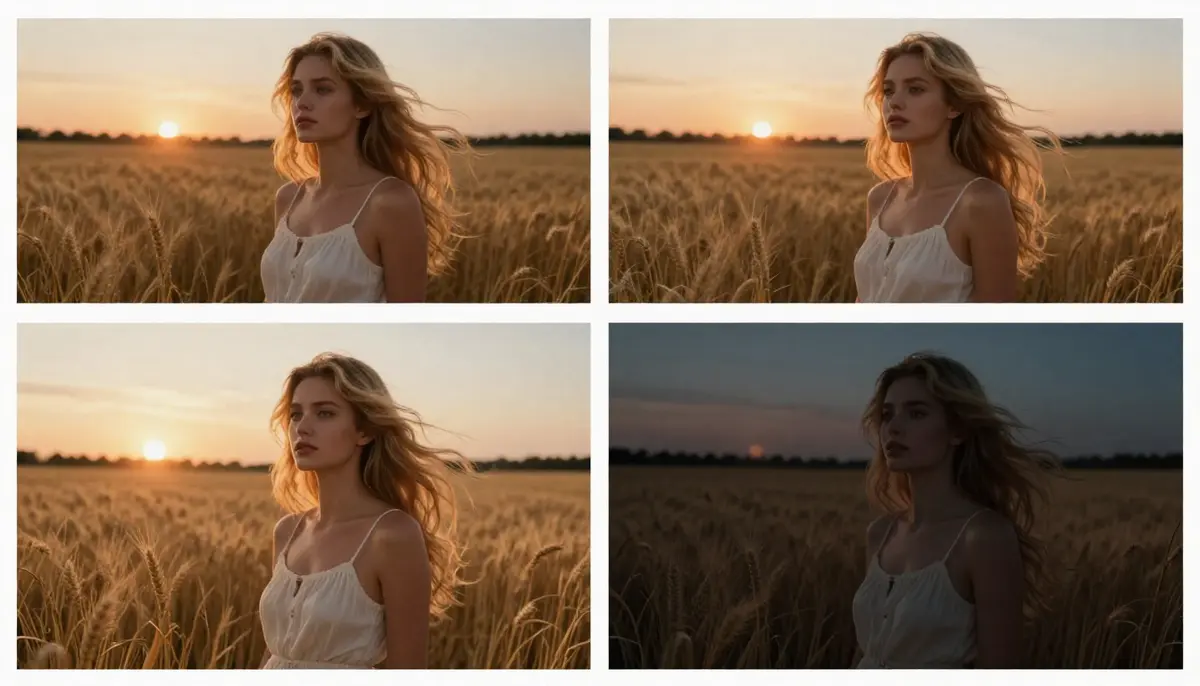
Visual summary of how different T2V approaches compare on workflow and control.
Why HappyHorse AI fits a modern creator stack
HappyHorse AI centers on generation workflows rather than generic chat. That focus helps you move from prompt to preview with fewer distractions.
HappyHorse-1.0 aims at coherent motion for typical marketing and social clips. It is not a substitute for legal advice or talent licensing.
Pair this stack with your editor of choice. Export, trim, color grade, and mix audio outside the generator when quality matters.
Writing better prompts (iteration and templates)
Prompt writing is editing. Your first draft should survive contact with reality.
Iteration beats one-shot genius
Change one variable at a time. If motion is wrong, adjust camera verbs before you swap the entire subject.
Capture side-by-side notes. “Variant A: slower pan.” “Variant B: stronger rim light.”
Watch for overfitting to a single buzzword. Models can fixate on style tokens and ignore composition.
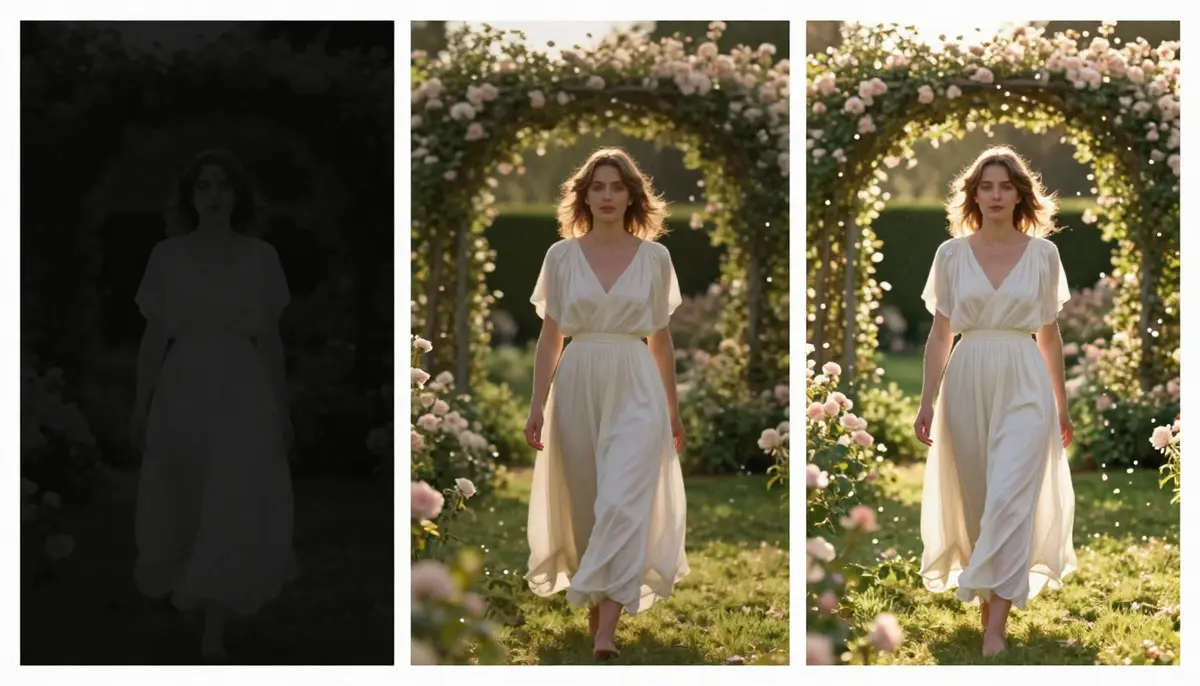
Small prompt edits often beat a full rewrite when you chase cleaner motion.
Template skeleton you can reuse
- Subject: who or what is on screen.
- Scene: where it happens and key props.
- Lighting: direction, softness, and color temperature.
- Camera: shot size, angle, and movement.
- Style: cinematic references or material cues.
- Motion: what moves, how fast, and what stays stable.
- Negative cues: what to avoid when the tool supports them.
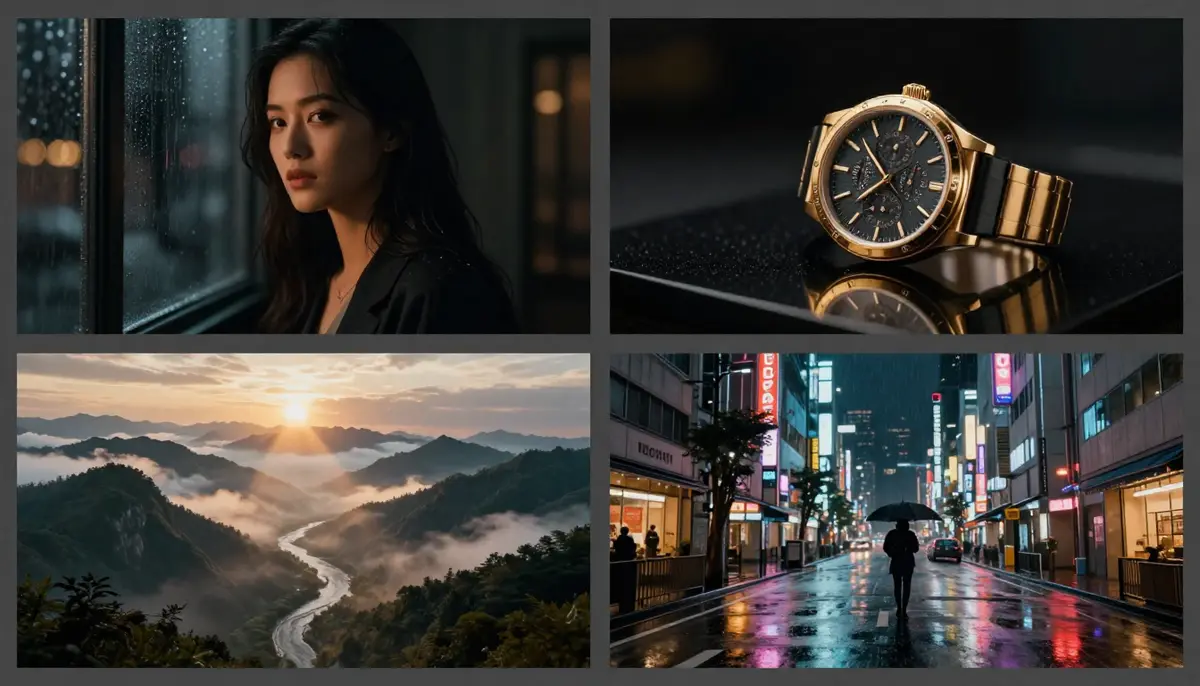
Template-friendly prompts help you build a library of repeatable shot recipes.
Words that commonly steer results
- Tripod locked reduces chaotic camera paths when the model supports that phrasing.
- Shallow depth of field isolates subjects but can increase focus breathing.
- Practical lights encourage motivated highlights instead of flat ambient fill.
Words that often fail
- Tiny readable text in logos frequently warps. Plan graphics in post when precision matters.
- Complex physics chains may jitter. Keep interactions simple or cut around them.
For more examples, open the HappyHorse prompt guide.
Prompt patterns for brand-safe campaigns
Lead with the product, not the person, when you want fewer likeness concerns. Keep human figures generic or silhouetted if policy requires it.
Avoid real celebrity names and trademarked character names. Describe the vibe instead.
When you must show uniforms or badges, keep marks minimal and plan replacement graphics in post if details warp.
Creative QA rubric (fast review)
| Check | Pass signal | Fail signal |
|---|---|---|
| Subject identity | Stable silhouette across frames | Shape morphing or wardrobe shifts |
| Lighting continuity | Shadows move with geometry | Random flicker without source |
| Camera intent | Motion matches your verbs | Unprompted whip pans |
| Materials | Surface behavior looks intentional | Shimmering noise on flat walls |
| Background | Readable and supportive | Competing clutter that steals focus |
Use the table as a scorecard. Two fails usually justify a prompt edit rather than color grading fixes.
Text-to-video for different use cases
Social media short video
Hook viewers in the first second. Start prompts with the focal object and a clear motion beat.
Keep backgrounds readable at small sizes. Busy textures can turn into mud on phones.
Use looping-friendly motion when platforms reward repeats.
Table: social T2V checklist
| Item | Pass criteria |
|---|---|
| Hook frame | Subject reads in under one second |
| Loop | End pose can blend to start if needed |
| Caption plan | Text added in post, not inside the model |
Ecommerce and product storytelling
Emphasize materials. Words like “brushed metal,” “frosted glass,” and “woven fabric” help the model pick surface cues.
Avoid illegible packaging text. Use clean labels or add text in post.
Show one hero action. “Cap twists,” “lid lifts,” or “pouring ripple” beats ten simultaneous actions.
Table: ecommerce T2V risks
| Risk | Mitigation |
|---|---|
| Tiny label text | Replace type in post |
| Reflective packaging | Softer highlights in prompt, fix glare in grade |
| Nutrition claims | Legal review outside the generator |
Education and explainers
Favor stable framing. A simple desk setup reads faster than a whirlwind tour of a city.
Use explicit metaphors when they help. “Cross-section diagram style” can steer a more illustrative look.
Plan captions outside the model. Do not rely on generated subtitles for accuracy.
List: education prompts that stay legible
- One idea per shot so learners track the lesson fast.
- High contrast props so diagrams stay readable on cheap displays.
- Calm camera so attention stays on the concept, not the move.
Accessibility habits that still matter
Synthetic video needs readable captions for many audiences. Burned-in text from the model is often garbled.
Describe important motion if you publish with alt text or a transcript. That habit helps compliance and search context.
Keep contrast in mind for small screens. High-frequency textures can shimmer and trigger discomfort for some viewers.

Match prompt style to distribution context. Social, ecommerce, and education need different visual priorities.
Text-to-video vs image-to-video
T2V starts from language alone. Image-to-video (I2V) starts from a still reference that anchors pixels.
I2V can preserve identity and layout when your source image is strong. T2V offers more freedom when you lack assets.
Many teams combine both. They generate stills, refine them, then animate with I2V for control.
Read the dedicated image-to-video AI guide for first-frame tactics and motion planning.
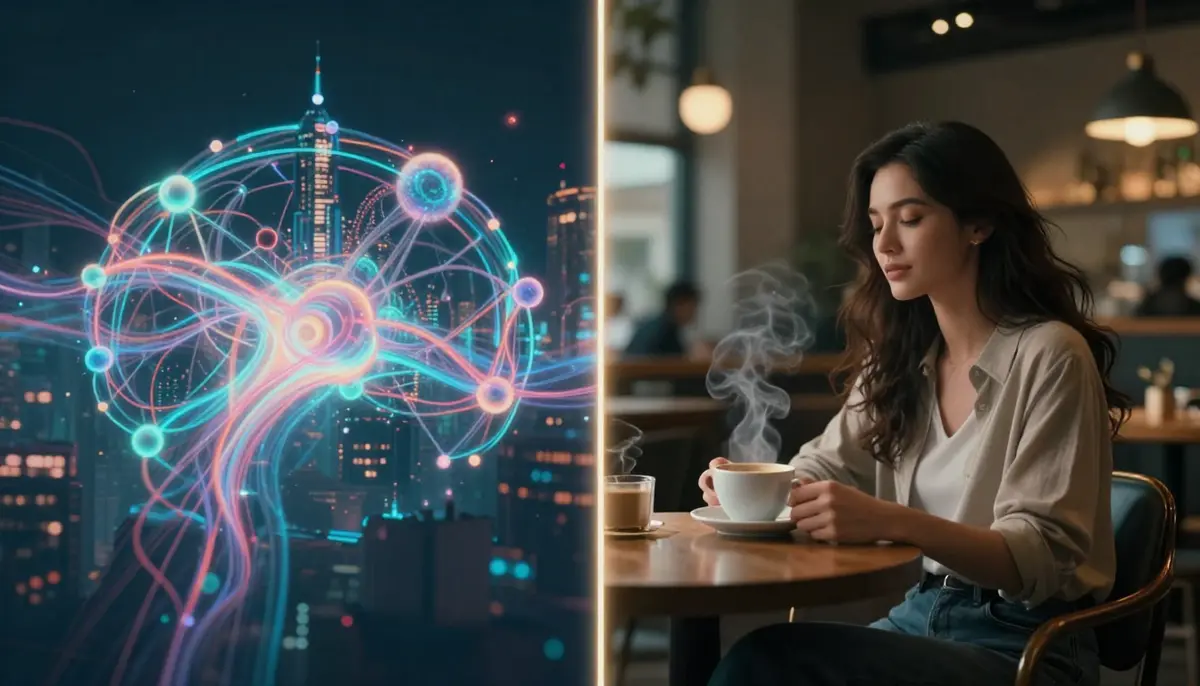
T2V and I2V solve different control problems. Pick the path that matches your assets and deadlines.
Decision questions
- Do you already have an approved still? If yes, test I2V first.
- Do you need exploration across many ideas? T2V is often faster.
- Do you need strict product geometry? Start from a CAD render or photo, then animate.
Handoff to editing and sound
Export a high-quality intermediate if your editor supports it. Generations already compress detail.
Add room tone and music legally. AI video does not grant music rights by default.
Use cuts to hide weak seconds. Not every frame must survive the final timeline.
Limitations you should plan around
Models can hallucinate objects and merge identities when prompts crowd too many subjects.
Hands and contact points remain fragile. Keep gestures simple or film real hands when stakes are high.
Text inside shots is unreliable. Add titles in post for readable brand language.
Long clips accumulate errors. Prefer shorter takes and edit in your NLE.
Audio is a separate craft. Generate visuals first, then mix dialogue and music with professional tools.
Safety filters may block prompts that seem benign. Rephrase with neutral wording and remove violent or hateful intent.
Legal ownership and licensing depend on your jurisdiction and product terms. Consult professionals for commercial campaigns.
Table: when to escalate beyond T2V
| Situation | Better path |
|---|---|
| Regulated claims | Live action, verified graphics, legal review |
| Nuanced acting | Cast talent, direct on set |
| Perfect logos | Design tools and brand kits |
Data and privacy habits
Avoid pasting confidential client details into any cloud tool unless your contract allows it.
Treat prompts like creative briefs. Redact personal data when possible.
If you work in healthcare or finance, follow your internal AI policy before you upload anything.
Performance and hardware expectations
Web tools optimize for broad compatibility. Heavy sessions may queue during peak hours.
Local noise in previews can differ from final exports. Always judge the final file before delivery.
If previews look soft, check export bitrate and resolution before you blame the model.
Color and gamma surprises
Generators rarely match your display calibration. Expect mild shifts after import into DaVinci Resolve or Premiere.
Use scopes. Waveforms reveal exposure issues that eyes miss during a quick preview.
If skin tones drift, adjust in color with reference stills rather than re-rolling endless prompts.
When to stop prompting and shoot real footage
Stop when the story needs nuanced acting. Stop when product claims must be pixel-perfect.
Stop when regulated industries require traceable sources. AI drafts may not meet audit rules.
Stop when audio storytelling matters more than visuals. Record dialogue and sync later.
Team workflow tips
Share prompts in a doc, not chat scrollback. Version control beats screenshots.
Assign one “prompt editor” per project. Too many simultaneous edits create chaos.
Review on target devices. Laptop previews lie about sharpness and noise.
Governance, disclosure, and team norms
Synthetic media works best when teams agree on labels, review gates, and archive rules. HappyHorse AI outputs should live in the same folder structure as prompts and reviewer notes.
List: responsible publishing habits
- Label when platforms or laws require synthetic-media disclosure.
- Archive prompts, settings, and exports together for audits.
- Escalate likeness, minors, and medical claims to policy owners.
Table: review gate by campaign type
| Campaign | Minimum review |
|---|---|
| Organic social | Brand + platform policy |
| Paid ads | Legal for claims and disclosures |
| Education | Fact check for instructional accuracy |
FAQ
What is text-to-video AI in one sentence?
It is software that generates video frames from a written description using learned patterns from large-scale training data.
How is HappyHorse-1.0 different from picking a random model name?
HappyHorse-1.0 is the model line tuned for HappyHorse AI workflows. It targets practical creator clips rather than open-ended experiments.
Does HappyHorse AI guarantee marketing results?
No tool guarantees outcomes. Your brief, prompt, iteration, and distribution strategy still drive performance.
How long should my first T2V clip be?
Start short. Many workflows stabilize under ten seconds before you chase epic length.
Can I use text-to-video output commercially?
Read HappyHorse AI terms for your account and region. Commercial use depends on licensing and local rules.
Why does my prompt fail even when it is descriptive?
Models have blind spots. Reduce conflicts, remove contradictory camera moves, and iterate one change at a time.
Should I use text-to-video or image-to-video?
Use T2V for exploration without assets. Use I2V when a strong still should anchor the frame.
Where can I start right now?
Open happyhorse-turbo.org, visit the homepage, and go to text-to-video. Bring a short prompt and iterate.
Start creating with HappyHorse AI
You now have a grounded map of T2V mechanics, a five-step workflow, and prompt habits that survive real projects. Open HappyHorse AI on happyhorse-turbo.org, launch text-to-video, and generate with HappyHorse-1.0.
Return to the blog index anytime for more guides. If you want prompt help, keep the AI video prompt generator guide nearby while you iterate.
Final reminders before you ship
Ship small tests before big campaigns. A one-day pilot saves a week of rework.
Keep ethics and disclosure in the same folder as your exports. Reviewers ask for proof, not vibes.
Celebrate progress, not perfection. The goal is useful motion that meets your brief, not a flawless universe simulation.
Bookmark this page and revisit after your first ten generations. Experience turns advice into instinct faster than theory alone.