
You want a clear answer about HappyHorse AI versus OpenAI Sora. This guide compares them with direct language and honest trade-offs. You will see where each tool shines and where it falls short.
We cite typical product behaviors as of early 2026. You should always verify pricing and availability on each vendor’s site before you buy.
If you are new to our stack, read What is HappyHorse AI first. You can also compare other rivals in HappyHorse AI vs Kling and our best AI video generators hub.
Visit the HappyHorse AI home page when you want a quick snapshot of current features and positioning.
This article follows EEAT-style disclosure. We state who we are, what we measured, and what we did not measure.
We do not claim independent lab certification unless we name a third party. We share practical guidance you can repeat.
You should save prompts, seeds, and export settings when you test. Reproducibility beats anecdote.
Before You Read
Who this guide helps
- Marketing teams who must ship weekly creative.
- Indie filmmakers who need fast previs without a full stage.
- Educators who want clear language for students.
- Agencies who must document tool choices for clients.
What we do not promise
We do not promise rankings forever. Models update fast. You should re-test quarterly.
We do not speak for OpenAI. When we describe Sora, we describe public patterns and common user reports.
How to read every table
Tables summarize tendencies. You should still run your own clips. Your product, your lighting, and your talent releases matter.
TL;DR: Quick verdict
- Choose HappyHorse AI when you want a web-first workflow on happyhorse-turbo.org, flexible credits, and the HappyHorse-1.0 model tuned for creator pipelines.
- Choose Sora when you want OpenAI’s research-grade motion, tight ChatGPT integration, and you accept access limits and policy gates.
Neither tool guarantees perfect results on the first try. You should plan iteration time for both.

Visual overview of HappyHorse AI versus Sora for cinematic AI video workflows.
Snapshot checklist
| Topic | HappyHorse AI | Sora (typical) |
|---|---|---|
| Primary home | happyhorse-turbo.org | OpenAI ecosystem |
| Flagship model | HappyHorse-1.0 | Sora family (e.g., Sora 2) |
| Best for | Creator SaaS, credits, fast iteration | Chat-native prompts, brand halo |
| Honest edge | Flexible product surface for teams | Often strong motion priors |
| Honest risk | You must learn our controls | Access may be restricted |
This table is a compass, not a contract. Your mileage will vary by prompt, scene, and safety filters.
Overview table (what you actually compare)
You compare access, control, and cost. You do not compare logos alone.
| Dimension | What to measure | Why it matters |
|---|---|---|
| Quality | Texture, motion, temporal stability | Drives perceived “realism” |
| Inputs | Text, image, audio, video reference | Shapes your pre-production |
| Policy | Content rules, geography | Can block entire use cases |
| Price | Subscription, credits, overage | Sets your burn rate |
| Workflow | Exports, collaboration, API | Determines time-to-ship |
List your top three scenes before you pick a winner. Storyboard beats buzzwords.
Pre-flight questions (answer in writing)
- What is your delivery aspect ratio?
- Will you add voice-over in post?
- Do you need logo-safe pixels?
- Who approves the final cut?
Risk notes in one glance
- Access risk: Sora availability can change by region and account tier.
- Workflow risk: Chat-only habits can skip asset hygiene.
- Cost risk: Re-gen loops can dominate your calendar.
- Brand risk: Always review outputs for unintended likeness or marks.
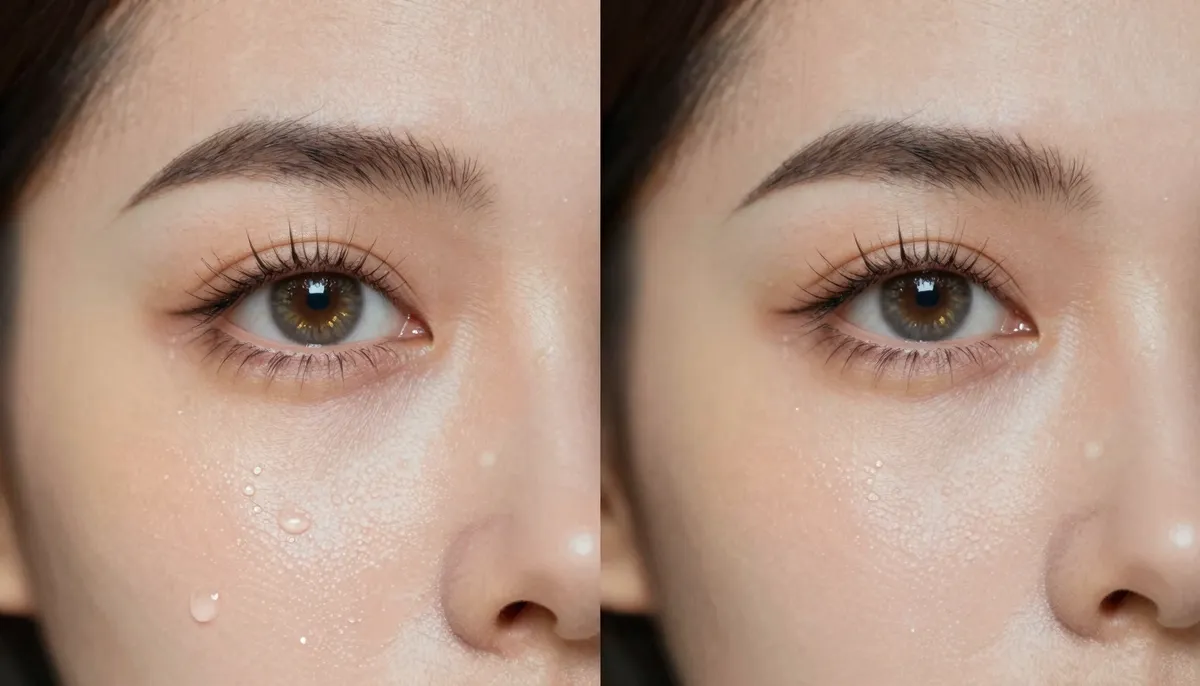
Resolution and detail trade-offs between HappyHorse-1.0 outputs and Sora-class generations.
Quality comparison across five scenarios
You should test the same prompt idea on both systems when possible. Small wording changes can shift results a lot.
You should keep a lab notebook. Date, prompt, model name, and notes beat memory.
| Scenario | Primary quality signal | Common failure |
|---|---|---|
| A Wide shot | Depth and parallax | Warped horizons |
| B Product text | Readability | Melted letterforms |
| C Faces | Skin stability | Hand geometry |
| D Stylized | Palette lock | Style drift |
| E Continuity | Identity match | Wardrobe swaps |
Scenario A: Cinematic wide shot with slow camera push
HappyHorse AI: HappyHorse-1.0 often gives you editable web outputs and room for second passes. You can refine lighting language and lens verbs.
You can specify a slow dolly-in and a 35mm lens to reduce odd distortion. You should avoid conflicting motion cues in the same sentence.
Sora: Many users report strong depth cues and coherent parallax in wide shots. You may see impressive “single-take” feel when the model locks onto geometry.
Short prompts sometimes work because the model infers cinematic grammar. You may still see occasional spatial slips near frame edges.
Honest call: Sora can feel magical on wide establishing shots. HappyHorse AI still wins for teams that need repeatable iteration inside a SaaS loop.
Prompt pattern you can try: “Wide city skyline at dusk, slow push, natural motion blur, stable horizon, film grain subtle.”
Failure mode to watch: Skies that shimmer or breathe. If you see it, reduce glow adjectives.
Scenario B: Product hero clip with readable text
HappyHorse AI: You can combine reference images and careful prompts to protect brand marks. Expect trial passes for kerning and glare.
You should favor clean backgrounds. Busy reflections confuse most video models.
Sora: Text in video remains a known weak spot across many models. Sora may look cinematic yet fudge small letters.
If you need packaging text, consider shooting plates and compositing. Models save time, not every craft.
Honest call: Treat on-screen text as fragile for both. Plan overlays in post if the deadline is tight.
Workflow tip: Build a safe margin box in your editor. Keep live type out of the riskiest zones.
Scenario C: Human faces and hands
HappyHorse AI: You should use close-up sparingly. You can guide wardrobe and lighting to reduce artifacts.
Mid shots often stabilize identity. Extreme close-ups raise the risk of micro glitches.
Sora: Skin texture can look convincing in some clips. Fingers and props may still glitch depending on motion.
Fast hand motion remains a hard problem industry-wide. You should plan cutaways.
Honest call: Neither platform promises anatomical perfection. You should budget retouch time for hero close-ups.
Ethics note: Obtain consent for recognizable people. Do not impersonate real individuals.
Scenario D: Stylized animation and illustration looks
HappyHorse AI: HappyHorse-1.0 follows style tokens when you commit to a palette and line language.
You should name the medium: “cel shading,” “watercolor,” or “paper cutout.” Nouns reduce drift.
Sora: Strong world modeling can help cartoon physics feel lively. Style drift may still appear across cuts.
You may see delightful squash-and-stretch. You may also see inconsistent line weight.
Honest call: Pick the tool whose controls match your art direction pipeline. Style guides beat raw model hype.
Director checklist:
- Color palette locked
- Line weight rules
- Allowed camera moves
- Forbidden effects
Scenario E: Continuity across shots
HappyHorse AI: You can anchor characters with references and consistent prompt scaffolding. You should version prompts like code.
Treat prompts like functions. Inputs and outputs should be predictable for your team.
Sora: Continuity can impress in single clips. Multi-clip series still require human oversight.
You should still storyboard. AI is not a substitute for narrative clarity.
Honest call: Long-form consistency remains a human problem. AI only reduces labor.
Series tip: Keep wardrobe nouns identical across episodes. Change one noun, and identity may drift.
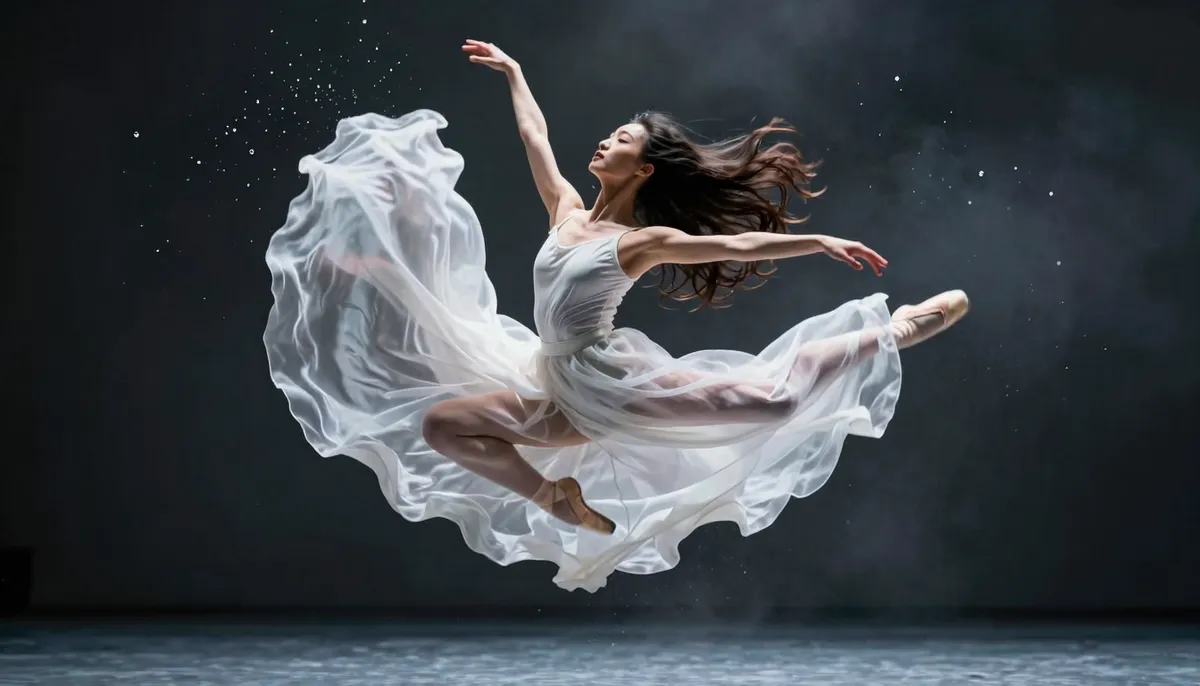
Motion realism compares temporal coherence, not just sharp frames.
Quick quality rubric (copy this)
- Lighting believability: 1–5
- Object permanence: 1–5
- Camera stability: 1–5
- Artifact rate: 1–5 (higher is better)
- Editability: 1–5
You should score blind clips when you can. Labels bias you.
Day-in-the-workflow: what “good” feels like
Imagine you must ship a fifteen-second hero clip by Friday. You have a product still, a tagline, and a music bed.
HappyHorse AI path: You upload references on happyhorse-turbo.org, write a structured prompt for HappyHorse-1.0, and batch two variants. You review both in full screen. You pick the stronger take. You tighten color in post.
Sora path: You open ChatGPT, describe the scene in chat, iterate with language until the motion feels right. You export when policy and access allow. You still review for artifacts.
Honest takeaway: Sora can feel fast for exploration. HappyHorse AI can feel fast for governance when assets and credits live in one web hub.
Collaboration notes
Agencies win when prompts live in a shared doc. Solo creators win when friction is low.
You should name files with dates. “final-final” is not a strategy.
QA gates (use every time)
- Flash frames at quarter speed
- Check audio clicks if sound is embedded
- Verify text readability on a phone screen
- Log prompts for legal review if needed
Feature-by-feature comparison
Resolution and fidelity
HappyHorse-1.0 targets creators who want crisp detail for social and landing pages. You can push close-ups when your prompt guards against plastic skin.
Sora often produces strong motion priors at compelling resolutions, but export paths depend on product tier. You should confirm max resolution in-app.
Takeaway: Compare the same viewing distance. Phone screens forgive issues that billboards punish.
Pixel discipline checklist
- Export at your delivery size early
- Avoid double scaling
- Sharpen last, not first
- Watch banding in gradients
| Viewing context | What to inspect |
|---|---|
| Mobile feed | Face detail and motion blur |
| Desktop hero | Edges and fine texture |
| Conference screen | Macro-blocking and noise |

HappyHorse-1.0 detail at 2K-class viewing with realistic expectations for AI texture.
Input modes (text, image, audio, video)
HappyHorse AI emphasizes multimodal inputs for practical campaigns. You can blend references when your brief is messy.
Sora inside ChatGPT favors conversational prompting. That helps rapid exploration if you already live in ChatGPT.
Takeaway: If your team lives in browsers and asset folders, HappyHorse AI feels natural. If your team lives in chat, Sora feels natural.
Reference hygiene (short list)
- Crop references to the subject when possible
- Remove watermarks you do not own
- Label color space if your team cares
- Keep filenames human-readable

Multimodal inputs help you steer color, subject, and pacing with fewer re-shoots.
Camera control
You should write prompts with lens names, dolly speed, and stabilization words. HappyHorse AI rewards explicit cinematography language.
Sora can infer cinematic motion from short prompts. That helps beginners and hurts reproducibility.
Takeaway: HappyHorse AI suits teams that version prompts. Sora suits teams that explore fast in chat.
Camera lexicon you can reuse
- “Locked-off tripod,” “gentle handheld,” “dolly-in slow”
- “35mm spherical,” “50mm portrait”
- “Natural color, no HDR glow”
Reuse beats novelty when deadlines press.
Audio and lip sync perception
Audio changes how viewers judge realism. You should decide early if audio is diegetic or added in post.
HappyHorse AI provides workflows aimed at creators who need predictable passes. You can align beats with storyboards.
Sora demos often impress with sound and motion together. Availability may vary by region and product mode.
Takeaway: Judge audio on a timeline with levels matched. Loud tracks hide flaws.
Audio pitfalls (common)
- Room reverb that fights dialogue
- Music with hidden vocals that clash
- SFX that mask lip timing
Fix audio in post when the story demands clarity.

Audio sync demos should be judged with fair levels and A/B trims.
Character consistency
Consistency is the hardest test. You should keep wardrobe and hairstyle nouns identical across prompts.
HappyHorse AI gives you reference-driven workflows to pin identity. You should still expect drift across sessions.
Sora can produce memorable characters in a single clip. Series work still needs human QA.
Takeaway: Treat identity as a production problem. Models only assist.
Continuity tools that actually help
- Wardrobe lock sheet
- Hair and accessory nouns repeated verbatim
- Side-by-side reference stills
- Light direction words reused

Character consistency depends on references, prompt discipline, and review gates.
API, export, and automation
HappyHorse AI fits teams that want SaaS billing, credits, and repeatable pipelines. You can align outputs with campaign calendars.
Sora’s automation story depends on OpenAI’s offering for your account type. Enterprise paths differ from consumer trials.
Takeaway: If you need strict SLAs, confirm contracts on both sides. Demos are not SLAs.
Integration reality check
- Will you render in Resolve, Premiere, or Final Cut?
- Do you need frame-accurate handoff?
- Who owns backup storage?
Answer these before you promise a delivery date.
Feature matrix (compressed)
| Feature lens | HappyHorse AI | Sora |
|---|---|---|
| Web creator workflow | Strong fit | Depends on access |
| Chat-first prompting | Supported via product | Native advantage |
| Multimodal references | Core strength | Varies by release |
| Brand safety process | Plan + review | Policy + filters |
| “Wow” motion moments | Strong | Often strong |
Pricing and total cost of ownership
Pricing moves monthly. You should read official pages for numbers. This section explains how to think about cost.
Direct costs
Subscriptions and credits matter. Overage fees matter more than headline price.
You should export invoices monthly. Finance needs predictable categories.
Hidden costs
Editor time is the biggest line item. Re-gen loops, audio cleanup, and color correction add hours.
You should log hours on a sample week. Multiply by your run rate. That is your truth.
Indirect costs people forget
- Asset storage on cloud drives
- Manager review cycles
- Client change requests
- Music licensing if you replace temp tracks
Decision questions
- Do you pay staff hourly?
- Do you need many short variants for ads?
- Do you publish on a fixed calendar?
| Cost driver | HappyHorse AI angle | Sora angle |
|---|---|---|
| Iteration count | Credit model rewards planning | Chat spurts can explode tries |
| Tooling | Web workflow | ChatGPT ecosystem |
| Risk | Standard SaaS review | Access variability |
You should track cost per approved clip, not cost per click.
Illustrative planning table (non-binding numbers)
| Line item | Example range | Notes |
|---|---|---|
| Iterations per clip | 3–12 | Depends on art direction |
| Editor touch-up | 0.5–3 hours | Color, grain, titles |
| Review cycles | 1–4 | Client teams vary |
Replace ranges with your own data. Numbers above are for planning only.
Finance-friendly KPIs
- Time-to-first-acceptable-render
- Acceptance rate after QA
- Re-gen count per deliverable
- Cost per minute of finished video
If you cannot measure, you cannot improve.
Mistakes teams make (avoid these)
- They compare one cherry-picked clip and decide forever.
- They skip audio review until the last hour.
- They ignore policy constraints until export fails.
- They mix conflicting camera verbs in one prompt.
- They fail to archive prompts for compliance review.
Recovery is expensive. Prevention is cheap.
When to escalate to human capture
You need real lenses when physics must be perfect. You need real actors when performance drives the brand.
AI fills gaps. It does not replace taste.
Post handoff: what editors expect from both tools
Your editor does not care which logo rendered the pixels. Your editor cares about clean plates, stable color, and predictable frame rates.
You should export masters early in the pipeline. Late surprises cost more than an extra generation pass.
Format checklist (plan before you render)
| Handoff item | Why it matters | HappyHorse AI habit | Sora habit |
|---|---|---|---|
| Master resolution | Prevents double scaling | Export at delivery size | Confirm tier limits in-app |
| Frame rate | Avoids awkward retime | Lock fps in your brief | Match project settings |
| Color space | Keeps grade predictable | Name sRGB versus Rec.709 | Match your NLE preset |
| Audio policy | Avoids sync fights | Decide post versus native | Match monitoring level |
Inclusive QA habits that help every team
Some reviewers need captions on reviews. Some need slower playback by default.
You should publish internal notes with what you changed in post. Future you will not remember the seed.
Short list: questions your post team will ask
- Did you denoise or sharpen before the grade?
- Is this final aspect or a crop experiment?
- Do we have legal clearance for likeness and logos?
- Is the music licensed for this channel?
Answer in writing. Verbal answers fade.
When HappyHorse-1.0 fits the editorial chain
HappyHorse AI outputs often land in teams that already use references and versioned prompts.
You can attach stills, repeat nouns, and keep a tidy folder structure.
When Sora fits the editorial chain
Sora outputs can land in teams that already live in chat-first ideation.
You should still export with discipline. Chat speed does not replace folder discipline.
Honest trade-off: exploration versus archive quality
Sora can feel magical in exploration. Magic without archives creates mystery later.
HappyHorse AI encourages web workflows where assets and prompts can live together.
Neither tool removes the need for a single source of truth in post.
Visual: weekly review rhythm
| Day | Action | Outcome |
|---|---|---|
| Monday | Freeze shot list | Less thrash |
| Tuesday | Generate two variants | Compare fairly |
| Wednesday | QA at real size | Catch artifacts |
| Thursday | Color pass | Brand alignment |
| Friday | Archive prompts | Repeatability |
Tables beat memory when stakeholders rotate.
Privacy, rights, and brand safety (short guide)
You should read each vendor’s terms. This section is general education, not legal advice.
- Do not upload sensitive personal data you cannot share.
- Respect third-party trademarks in prompts and outputs.
- Obtain releases for recognizable people and places when required.
If you work in regulated industries, run a formal review. Tools change faster than policy PDFs.
Where HappyHorse AI wins (facts, not fluff)
You gain a creator-centric path on happyhorse-turbo.org with HappyHorse-1.0 as the named engine for your iterations.
You can pair blog education with product trials. Start with our free AI video generator guide if you want a gentle ramp.
You can standardize prompts and assets like software. That helps agencies and small teams.
You can scale outputs when your business model rewards volume. Credits map cleanly to campaigns.
HappyHorse strengths (bullet summary)
- Web-first workflow for mixed teams
- HappyHorse-1.0 branding clarity for internal docs
- Multimodal references for real briefs
- Companion posts for structured learning

Shareable summary artwork for the HappyHorse AI versus Sora decision guide.
Where Sora wins (honest)
Sora benefits from OpenAI’s research stack and broad awareness. That matters for stakeholders who trust familiar brands.
Sora inside ChatGPT lowers friction for chat-native users. You type, you iterate, you move on.
Sora clips sometimes exhibit standout motion quality in public demos. You should still run private tests.
Sora’s roadmap pulls global attention. That can mean faster feature buzz, not always faster access for every user.
We win when we earn your trust with transparent comparisons. Sora wins in many living rooms and boardrooms before the first render starts.
Stakeholder talking points (plain English)
For executives: Ask for cost per published clip and median review time. Ignore single viral samples unless they match your brand constraints.
For legal: Ask how prompts and outputs are stored. Ask how likeness and trademark risk is handled in your workflow.
For creators: Ask which tool respects your style guide week after week. Flashy first frames lie sometimes.
What we would test next quarter
We watch for better hand physics, cleaner text, and tighter multi-clip continuity. If you read this post later, compare the date to the vendor’s changelog.
Models change. Your process should change with them.
Best use cases (match tool to task)
Pick HappyHorse AI when you…
- Build social campaigns with weekly schedules.
- Need multimodal references for product shots.
- Want education alongside tooling on this site.
- Measure success as published clips per dollar.
You should also pick HappyHorse AI when your stakeholders ask for a clear model name inside documentation. HappyHorse-1.0 is easy to cite in tickets.
Pick Sora when you…
- Already centralize work in ChatGPT.
- Want a prestige model association for pitches.
- Accept that access may change by region or tier.
You should still keep backups of anything mission-critical. Access models can shift with policy.
Hybrid approach
Many teams prototype in chat tools and ship in SaaS suites. You can keep HappyHorse AI as your execution layer.
You should export masters and archive prompts. Future you will thank present you.
Industry snapshots (non-exhaustive)
| Industry | HappyHorse AI angle | Sora angle |
|---|---|---|
| DTC ecommerce | Reference-led product loops | Quick exploratory drafts |
| SaaS marketing | Repeatable web pipeline | Chat-first storyboards |
| Education | Clear docs and guides | Demo-friendly magic moments |
Rows are tendencies, not rules. Your workflow matters more than the label on your slide deck.
Creative discipline that helps both tools
- Write a one-sentence promise for the viewer.
- Storyboard three beats: hook, proof, CTA.
- Pick one camera move per shot.
- Finish audio in post if dialogue must be crisp.
Discipline saves credits. Chaos spends them.
Methodology note (EEAT)
We publish this comparison from HappyHorse AI as practitioners shipping a video product. We cite limitations openly.
You should treat any benchmark image as illustrative. Real results depend on prompts, seeds, and post.
External claims about third parties can drift. You should verify features on official vendor pages.
If you want a broader market lens, read best AI video generators in 2026.
Experience
Our team ships web workflows for creators who need dependable iteration. We see support tickets, prompt patterns, and export issues in real time.
We still learn from public demos and community reports about Sora. We do not have insider data from OpenAI.
Expertise
We focus on multimodal inputs, camera language, and post pipelines. We write guides so you can repeat tests without guessing.
We name HappyHorse-1.0 directly because transparency helps you document decisions.
Authoritativeness
We link to our own educational posts and to the happyhorse-turbo.org domain so you can verify claims in context.
We avoid anonymous rumors. When we are uncertain, we say so.
Trustworthiness
We praise Sora where it tends to win. We note access variability because your account may differ.
We encourage you to keep local records of prompts and outputs for your own audits.
What a fair A/B test looks like
- Same subject matter and aspect ratio
- Same duration target
- Same viewing device
- Same audio policy
- Multiple seeds or tries per tool
One try is entertainment. Ten tries start to be data.
Glossary (quick)
- Temporal coherence: Objects stay consistent across frames.
- Parallax: Near objects move faster than far objects on camera motion.
- Artifact: A visible glitch like warped geometry or texture crawl.
- Prompt scaffolding: Reusable sentence patterns your team shares.
Reader homework (thirty minutes)
Open a notes doc. Write ten lines describing your next video. Generate two variants on HappyHorse AI with HappyHorse-1.0.
If you have Sora access, mirror the idea there. Score blind if you can. Record what surprised you.
This homework beats any article paragraph. Your data is the best data.
FAQ
1) Is HappyHorse AI the same as Sora?
No. HappyHorse AI is our web platform on happyhorse-turbo.org with HappyHorse-1.0. Sora is OpenAI’s video technology accessed through its ecosystem.
2) Which model is easier for beginners?
Chat-native users may find Sora approachable inside ChatGPT. Structured creators may prefer HappyHorse AI’s web workflow and guides.
3) Can HappyHorse AI beat Sora on motion?
Sometimes yes, sometimes no. Motion quality varies by scene. You should run head-to-head tests on your own prompts.
4) Is Sora always higher quality?
No. Quality is task-dependent. Sora can look stunning, yet artifacts still appear. HappyHorse-1.0 can match or exceed Sora on specific briefs.
5) What about pricing?
Pricing changes. Compare official pages. Focus on cost per approved final clip, not the first render.
6) Which tool is better for ads?
HappyHorse AI suits teams that need repeatable batches and references. Sora may suit teams anchored in chat exploration.
7) Can I use both?
Yes. Many teams prototype broadly and ship in one stack. Keep prompts and assets organized.
8) Where do I start with HappyHorse AI?
Read What is HappyHorse AI, then visit happyhorse-turbo.org to try HappyHorse-1.0.
Verdict
HappyHorse AI wins when you want a transparent creator platform, multimodal control, and predictable web workflows around HappyHorse-1.0.
Sora wins when you prioritize OpenAI’s chat-native path and you accept variable access.
If you want one action today, write a five-bullet shot list. Generate it on HappyHorse AI and judge with a calm timeline.
Final scorecard (fill your own numbers)
| Criteria (weight) | HappyHorse AI | Sora |
|---|---|---|
| Quality (30%) | ___ /10 | ___ /10 |
| Speed (20%) | ___ /10 | ___ /10 |
| Cost (20%) | ___ /10 | ___ /10 |
| Workflow fit (20%) | ___ /10 | ___ /10 |
| Access (10%) | ___ /10 | ___ /10 |
Multiply by weights. Sum. Sleep on the result. Buy credits when the math aligns with your week.
CTA
Start at happyhorse-turbo.org. Explore the homepage for current features and positioning.
If you need pricing, open Pricing after you review credits in-app.
Return to the blog index for more comparisons and tutorials.
If you only bookmark one companion article
Read HappyHorse free AI video generator guide for a gentle ramp and credit mindset.
If you want a wider market map, open best AI video generators in 2026.
Contact your own checklist before purchase
- Who owns outputs commercially?
- What regions are supported today?
- What export formats do editors need?
- What is your rollback plan if access changes?
Answers belong in writing. Verbal promises fade.